Attaching and aligning the
custom door front
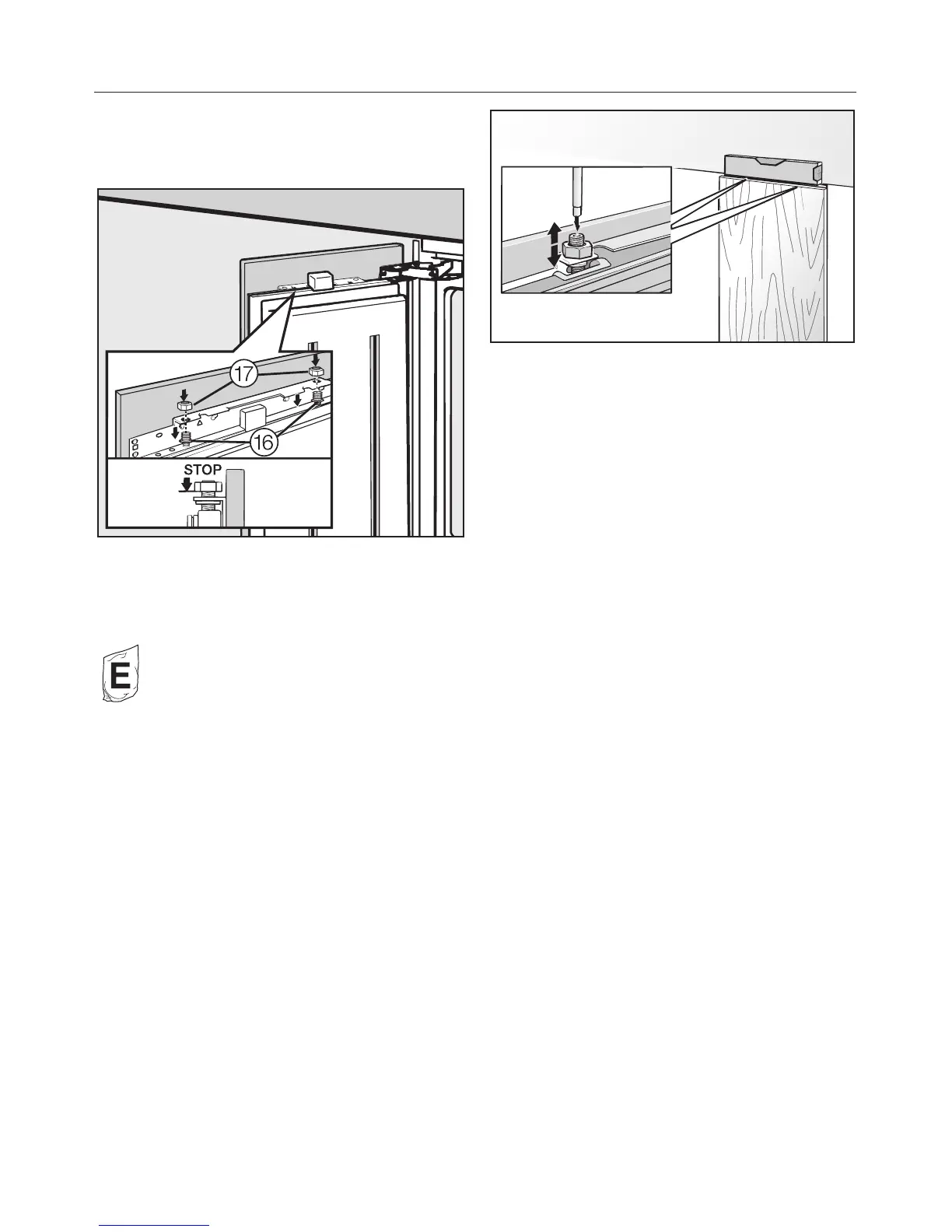
^ Open the door and hang the custom
door with the mounting frame over
the threaded bolts p.
^ Put the side strips o back into place
and screw them completely down on
both sides of the appliance door.
Bag E contains spare screws for this
purpose.
^
Screw the nuts q a few turns onto
the threaded bolts p. Do not tighten
the nuts completely.
^
Close the appliance door and check
the distance to doors of adjacent
furniture/fixtures.
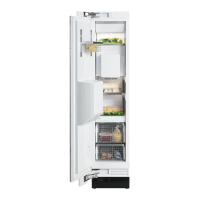
^
Align the custom door height with the
threaded bolts p.
^
Now tighten the nuts q on top. This
secures the appliance door.
Installing the appliance
65


 To Next Page