Switching on and off
Switching on
Close the door
Open the stopcock (if it is closed).
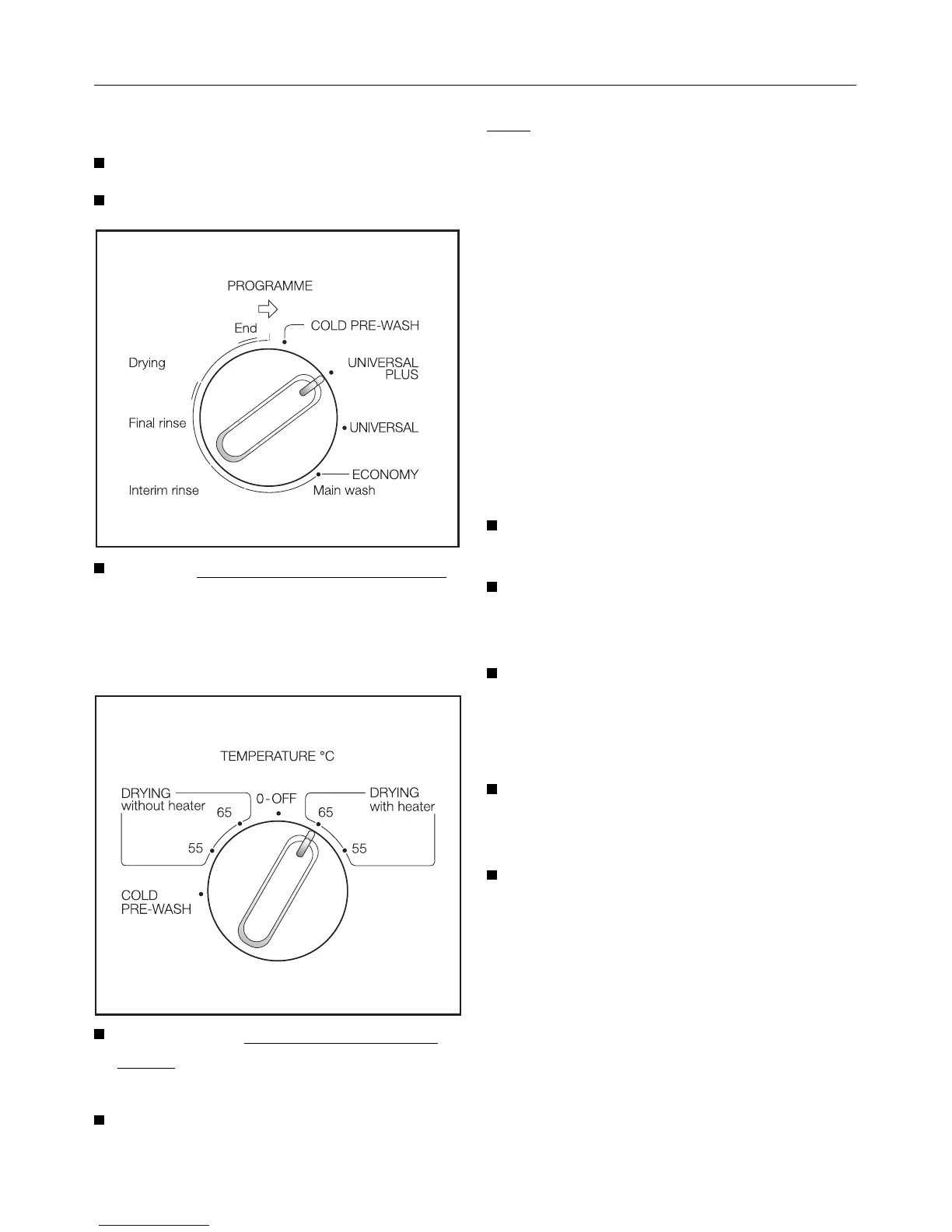
Turn the programme selector switch
(programme sequence indicator)
clockwise, until a resistance is felt, to
the “Start“ point of the required pro-
gramme, e.g. "UNIVERSAL PLUS".
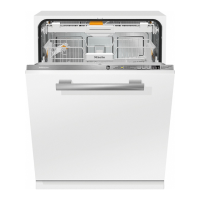
Then turn the Temperature selector
switch to the required temperature
e.g. “65 °“.
The programme cycle begins.
Note
There is an option to select “Drying
with heater“ or “Drying without heater“.
Selecting “Drying without heater“ re-
sults in energy savings of approx.
0.1 kWh electricity.
Drying results may, however, not be as
good as when drying takes place with
heat.
To dry crockery more quickly the door
of the dishwasher should be opened
slightly at the end of the programme.
If you turn the selector past
the “start point“ by mistake:
Turn the temperature selector switch
to “0-Off“.
Turn the programme selector switch
in a clockwise direction to the re-
quired start point.
Re-set the temperature with the tem-
perature selector switch.
Programme change
It is possible to change temperature
within a programme, e.g. UNIVER-
SAL 55 ° to UNIVERSAL 65 °.
If changing a programme, e.g.
UNIVERSAL PLUS to UNIVERSAL it
is advisable to first turn the dish-
washer off.
Switching on and off
32



 To Next Page