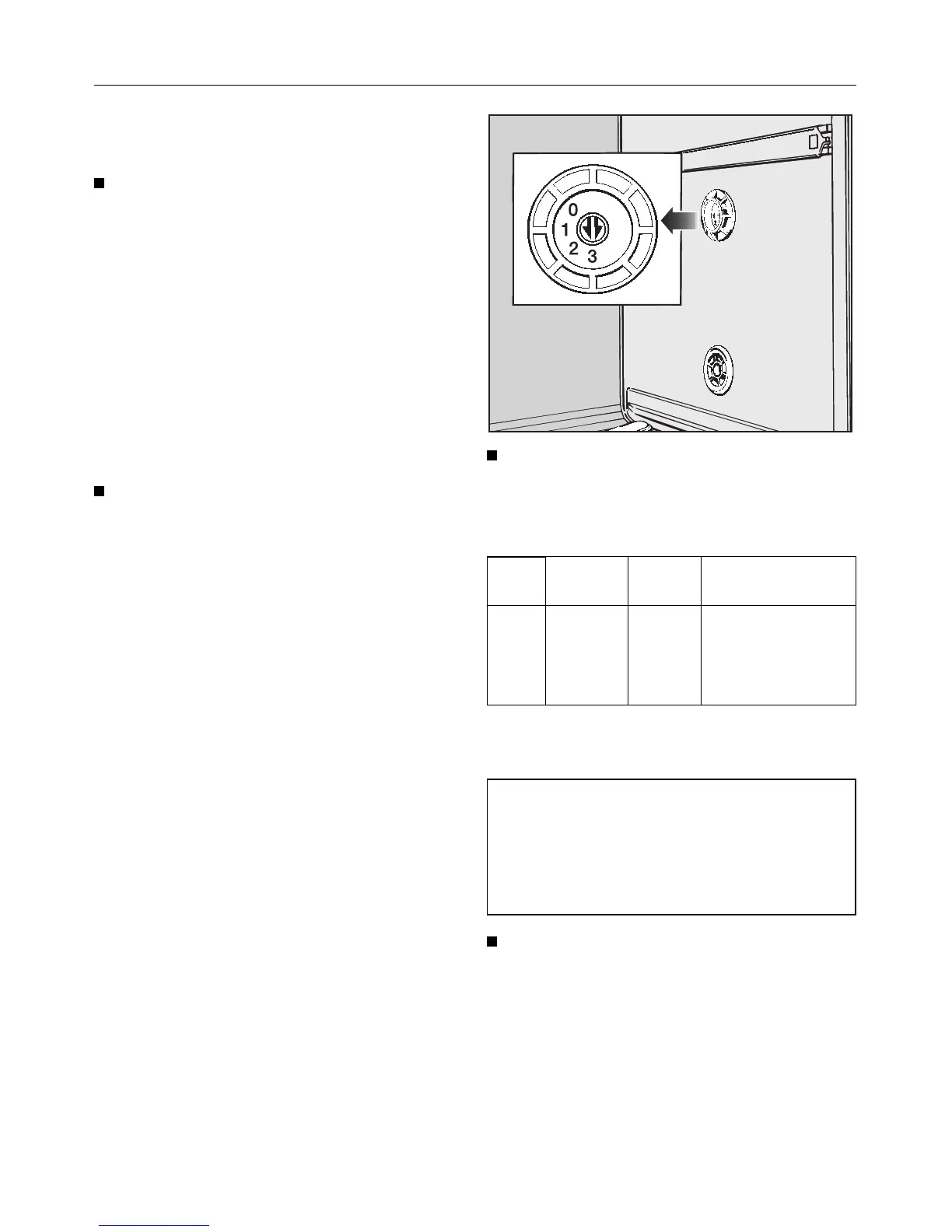
Setting the water hardness level se-
lector in the wash cabinet
Switch the dishwasher off with the
“On/Off” button.
The water hardness level selector in the
wash cabinet must be set according to
the table below.
Setting the selector to the correct set-
ting will help minimise the effects of the
wash process on glass surfaces. Too
high a setting will lead to poor cleaning
results and an increase in water spots
left on crockery and cutlery.
Use a screwdriver to take the cover
off the water hardness level selector
in the wash cabinet.
Use a coin or screwdriver to adjust
the water hardness level selector in
the wash cabinet. There is a click as
each setting is reached.
°d mmol/l °f Selector
setting (level)
1- 7 0.2- 1.3 2- 13 3
8-10 1.4- 1.8 14- 18 2
11-14 2.0- 2.5 20- 25 1
15-70 2.7-12.6 27-126 0
The water hardness selector is set at the
factory to setting “1”.
Example:
For a water hardness level of 6 °d.
(1.1 mmol/l)
Turn the water hardness level selec-
tor to setting 3 (1 - 7 °d).
Replace the cover on the water hard-
ness level selector.
Before using for the first time
15



 To Next Page