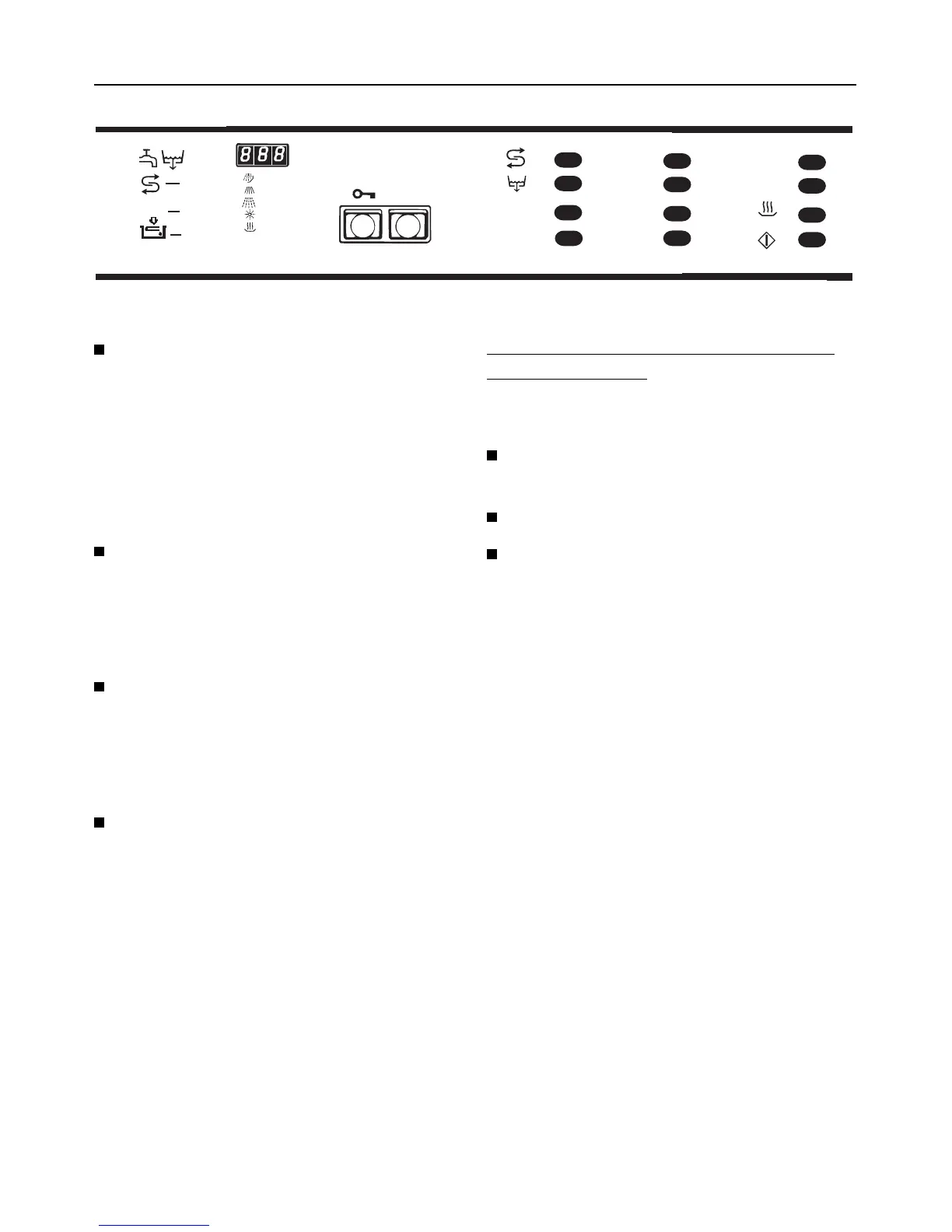
Switching the machine on and off
1. Switching on
Press the I-0 button.
2. Selecting a programme
After switching on the machine the indi-
cator lights next to the selectors will
light up to show the programmes avail-
able.
Press the programme selector for
the required programme. The wash
temperature of the programme se-
lected will show up in the display
field.
Select additional programme
T
1
/ T
2
"TEMPERATURE" and/or
c "DRYING"
(see "Selecting an additional pro-
gramme").
Press the h "Start" touch pad.. The
display panel will now show the run-
ning time in ascending minutes for
the selected programme.
During the heat-up stage in "Wash-
ing/disinfecting" and "Final rinse" the
end temperature will be displayed in
the panel.
All other programmes are automatically
blocked and only the lights for the pro-
gramme selected stay on.
Programme Changes
Provided the "Start" touch pad has not
yet been pressed, a wrongly selected
programme may be changed as fol-
lows:
Press the appropriate touch pad to
select the required programme.
Press the h "Start" touch pad.
Otherwise "Interrupt programme"
(see page after next).
3. Selecting an additional pro-
gramme
The following additional programmes
are available:
T
1
TEMPERATURE FOR WASHING
T
2
TEMPERATURE FOR FINAL RINS-
ING
Immediately after the selection of a
washing programme the temperature
for washing and for final rinsing can be
altered through the additional pro-
gramme "Temperature". Press on the
appropriate touch pad T
1
or T
2
for as
many times as necessary to change
the temperature step by step (40°C /
50°C / 60°C / 70°C / 85°C / 93°C). The
last temperature chosen will be stored
for the following wash/rinse cycles, and
will be shown in the display field.
•
•
•
DOS
•
DESIN
•
•
•
•
•
•
•
•
•
•
•
•
•
•
I-O
°C
min
•
•
•
•
A
B
C
D
E
F
T
T
1
2
10’- 80’
Switching the machine on and off
24



 To Next Page