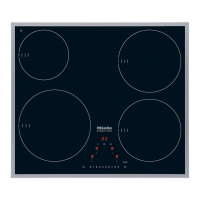
Signing on the hob
If you want to sign the hob
–
on to the Miele{home system, first prepare the signing on
procedure on the master appliance (see the "Miele|home"
fitting and installation instructions)
–
on to the Con|ctivity system, first sign on the cooker
hood (see the "Con|ctivity" fitting and installation
instructions).
^
With the hob switched off, touch the s and $ sensors at
the same time until the safety lock indicator lamp flashes.
After the programming mode has been called up, P
(Programme) and S (Status) will appear in the timer display.
On hobs with 3 cooking zones, an additional indicator will
appear at the rear left.
^ Touch the sensor for selecting the front left cooking zone
and then touch the 1 on the numerical keypad (Set
Programme 10).
^ Touch the sensor for selecting the front right cooking zone
and then touch the 2 on the numerical keypad (Set Status 2
= Signed on).
The signing-on process starts, and the number 2 flashes. The
signing on process will take a few minutes. The number 2 will
light up constantly when the process has been completely
successfully.
^
To save the setting, touch the s sensor until all the
displays go out.
^
Proceed as described in the "Miele|home" or Con|ctivity
fitting and installation instructions.
Con|ctivity and Miele|home
56



 To Next Page