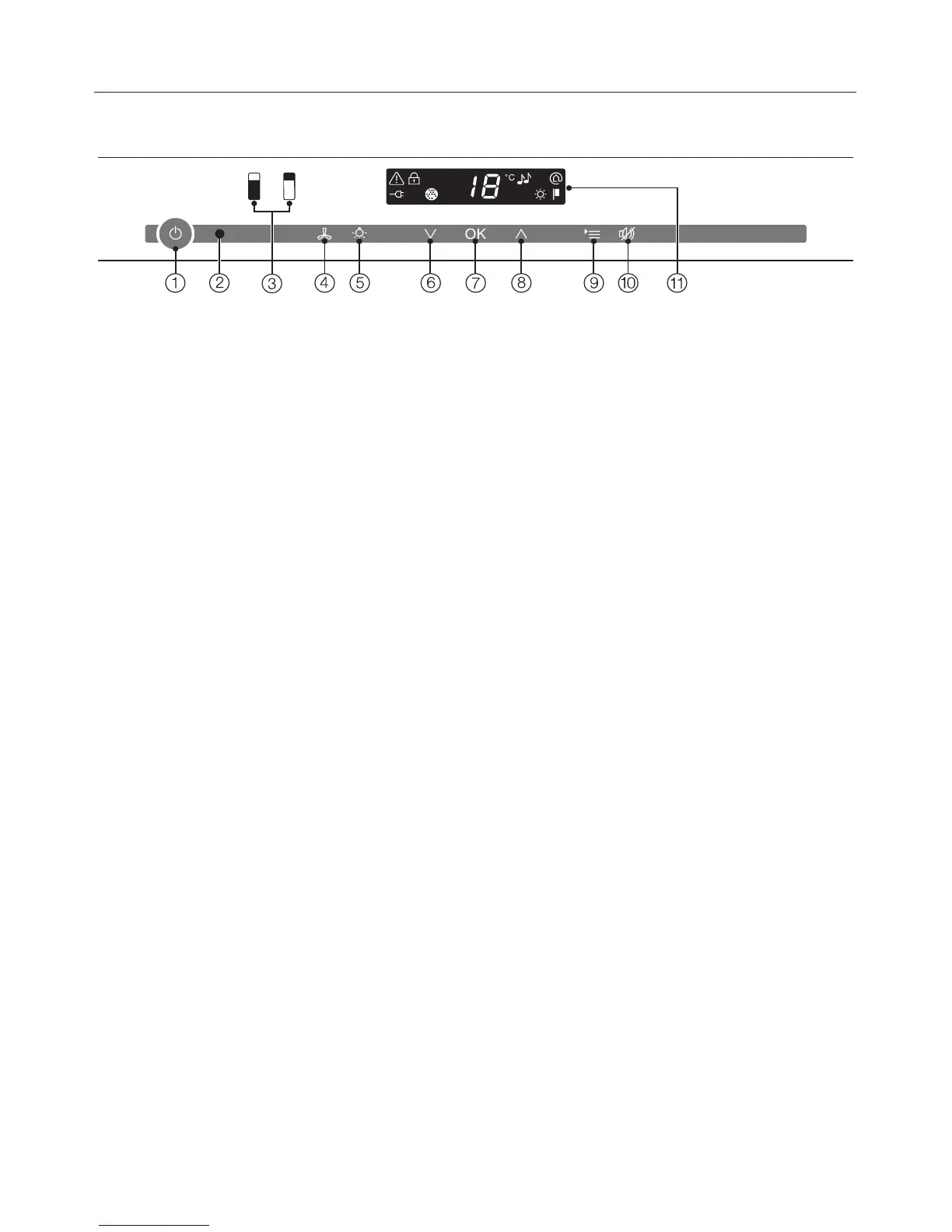
a For turning
the entire appliance on and off.
b Optical interface
(for Service use only)
c Selection of the upper or lower wine
conditioning zone
d Activation/deactivation of the
DynaCool function (constant
humidity)
e Activation/deactivation of the feature
lighting
f X To set a colder temperature
g For confirming a selection (OK
button)
h Y To set a warmer temperature
i For accessing or leaving
settings mode
j For turning the temperature and door
alarms off
k Display with temperature and
symbols (symbols only visible in
settings mode; see table for
explanation of symbols)
Guide to the appliance
9




 To Next Page