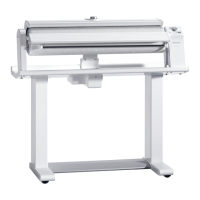
This document provides operating instructions for the Miele PROFESSIONAL Commercial Flatwork Ironer models PM 1210, PM 1214, and PM 1217. It covers essential information on safety, use, and maintenance to prevent personal injury and damage to the appliance.
Function Description
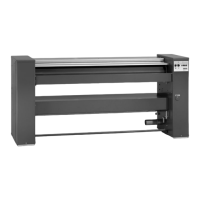
The Miele Commercial Flatwork Ironer is designed for ironing water-washed fabrics in commercial settings. It features a heated roller and a heater plate to smooth out laundry. The ironer is equipped with a touch display for control and various safety features to ensure safe operation. Depending on the model, it may include a swing-out bar for creaseless item placement, a flexible laundry feed for outfeed removal of large items, and leaf-spring padding.
Important Technical Specifications
The ironer models differ in their residual moisture recommendations and roller padding dimensions:
- PM 1214, PM 1217: Recommended residual moisture of 15–25%.
- PM 1210: Recommended residual moisture of 15%.
- PM 1210, PM 1214 Roller Padding Diameter: 210-215 mm.
- PM 1217 Roller Padding Diameter: 250-255 mm.
The ironer offers adjustable ironing temperatures and roller speeds.
- Temperature Ranges:
- Nylon / artificial silk: 100-110 °C (Preset: 110 °C)
- Silks / woollens: 111-150 °C (Preset: 125 °C)
- Cottons / linens: 151-185 °C (Preset: 180 °C)
- Roller Speed Ranges (PM 1210 / PM 1214):
- Low speed: 1.5-2.2 m/min
- Medium speed: 2.3-3.2 m/min
- High speed: 3.3-4 m/min
- Roller Speed Ranges (PM 1217):
- Low speed: 1.5-2.4 m/min
- Medium speed: 2.5-3.4 m/min
- High speed: 3.5-4.5 m/min
The appliance is designed for operation in a suitable dry room and is not intended for outdoor use. Electrical safety is guaranteed only when connected to a correctly installed earthing system.
Usage Features
The ironer is operated via a touch display with intuitive symbols.
- Power On/Off: A dedicated button switches the ironer on and off.
- Pause Function: The "||" button pauses the ironing operation, stopping the roller and disengaging the heater plate while keeping the heater element on.
- Start Button: Initiates the ironing process; flashes when ready.
- Temperature Selection: Users can select from preset temperature buttons for different fabric types (Nylon/artificial silk, Silks/woollens, Cottons/linens) or adjust the temperature using "+" and "-" buttons. The selected temperature is highlighted.
- Roller Speed Selection: Similar to temperature, roller speed can be chosen from low, medium, or high settings, or adjusted with "+" and "-" buttons.
- Finger Guard: A crucial safety feature that stops the ironer and disengages the heater plate if fingertips are trapped. It must be checked daily.
- FlexControl Footswitch (Optional): Allows stopping the roller by pressing the footswitch, useful for adjusting items during feeding. Releasing the footswitch resumes ironing.
- Pick-off Bands: Used to assist in removing ironed laundry from the roller.
- Standby Mode: Can be activated by Miele Service, allowing the ironer to switch off the heater element and disengage the heater plate after a period of non-use (1-30 minutes).
- Favourites Setting: Users can save a frequently used combination of temperature and roller speed for quick access.
- Payment System (Optional): For coin-operated models, ironing time is purchased by inserting coins or tokens.
- Laundry Feeding: Laundry should be sorted by fabric type and residual moisture. It should be fed evenly across the entire roller width to prevent uneven heating and wear on the padding. Items with buttons should be fed with buttons facing the roller.
Maintenance Features
Regular cleaning and waxing of the heater plate are essential for prolonging the life of the roller drive and padding.
- Cleaning Programme: The ironer has a dedicated cleaning programme, activated by holding down a specific button for 3 seconds. The display shows 80 °C for cleaning.
- Cleaning Cloth: A special cleaning cloth (available as an accessory) is used to clean the heater plate. It has a cleaning strip and a softer cotton strip. The cloth should be fed through the ironer multiple times, moving it side to side, to clean the entire width of the heater plate.
- Waxing the Heater Plate: After cleaning, the heater plate must be waxed using a waxing cloth and ironing wax (available in the Miele cleaning set). Waxing mode is activated by holding down a specific button for 3 seconds, then selecting the temperature for waxing. The waxing cloth, with the rubber-coated side facing downwards, is fed into the heated ironer (approx. 180 °C). Successful waxing resets the maintenance interval for cleaning prompts.
- Padding Instructions: The ironing cloth and padding may need replacement over time. For PM 1217 models with leaf-spring padding, removal or replacement must be done by Miele Service to prevent damage.
- Removing the Ironing Cloth: The ironer must be switched off and cooled down. The heater plate is disengaged by holding a button for 3 seconds. The roller can be reversed incrementally to remove the ironing cloth.
- Fitting the Ironing Cloth: The new ironing cloth is laid on the infeed table, parallel to the roller, and fed into the ironer while the roller rotates at the lowest temperature and speed.
- Miele Service: In case of malfunctions or for specific maintenance tasks (like replacing leaf-spring padding or checking carbon brushes), Miele Service should be contacted. The model and serial number (found on the data plate inside the right-hand side column) are required.

 Need help?

 To Next Page


 General