3. Selecting a program and starting it
26
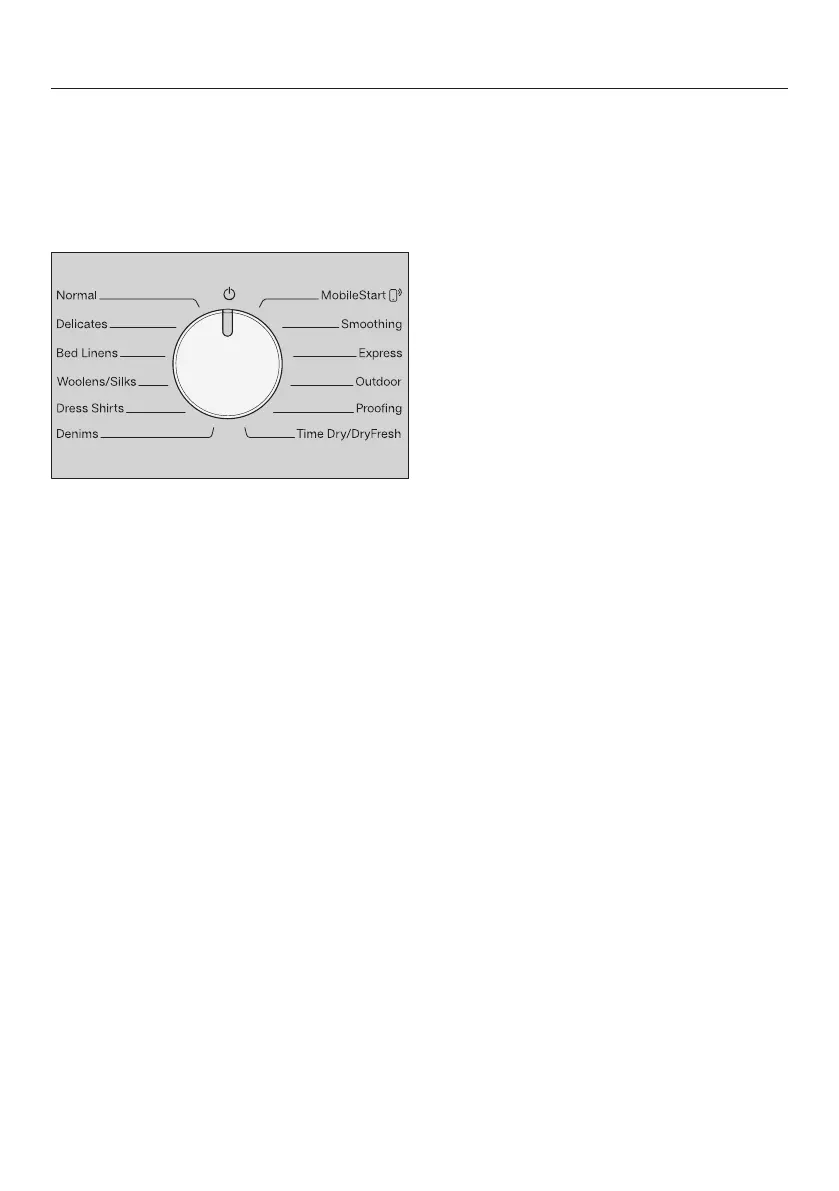
Switching on the tumble dryer
The tumble dryer is switched on when
you select a program and switched off
by turning the program selector to the
position.
Turn the program selector to a
program.
Selecting a program
There are 2 possible ways to select a
program:
1. Selecting drying programs using
the program selector
Turn the program selector to the
required program.
A drying level may light up and
durations will appear on the time
display.
2. Selecting drying programs via the
MobileStart program selector
position
Turn the program selector to
MobileStart.
will light up on the time display.
Touch the Start/Add laundry sensor
button.
Once the program has started, the
tumble dryer can be operated with the
Miele app.


 To Next Page