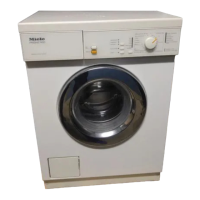
en - T1 and W1 with 4 line display
36
Remote control
The Remote control setting is only vis-
ible when the WiFi module is fitted and
signed on.
Once the Miele@mobile App has been
installed on your mobile device, you
can check the status of your washing
machine or tumble dryer from any-
where and start it remotely.
The Remote control setting has to be
switched on if you want to start your
washing machine or tumble dryer with
your mobile device.
If Remote control is not switched on the
App can cause the programme to be
cancelled.
Use the "Delay start" button to set a
time frame in which you want the wash-
ing machine or tumble dryer to start
and start the delay period (see "Delay
start" in the Operating instruction
manual for your washing machine or
tumble dryer).
The washing machine or tumble dryer
will then start during this period once it
has received a signal from you.
If it has not received a signal from you
by the latest start time set, the washing
machine or tumble dryer will start auto-
matically.
Remote control is switched off by de-
fault.
SmartGrid
The SmartGrid setting is only visible
when the WiFi module is fitted and
signed on.
This function can be used for starting
your washing machine or tumble dryer
automatically at a time when your en-
ergy costs are most economical.
Activating SmartGrid gives the Delay
start button a new function. Set
SmartStart with the "Delay start" button.
The washing machine or tumble dryer
will then start within the timeframe that
you have specified when it receives a
signal from your energy supplier.
If it has not received a signal from your
energy supplier by the latest start time
set, the washing machine or tumble
dryer will start automatically.
The SmartGrid function is switched off
by default.


 To Next Page
 Loading...