Delay start
29
With Delay start you can delay the start
of a programme from 30minutes up to
a maximum of 24hours. This allows
you to make use of night-time economy
electricity rates, for example.
Selecting Delay start
Delay start is not possible in the Drain/
Spin and Proofingprogrammes.
Select the programme required.
Touch the sensor.
The sensor lights up brightly.
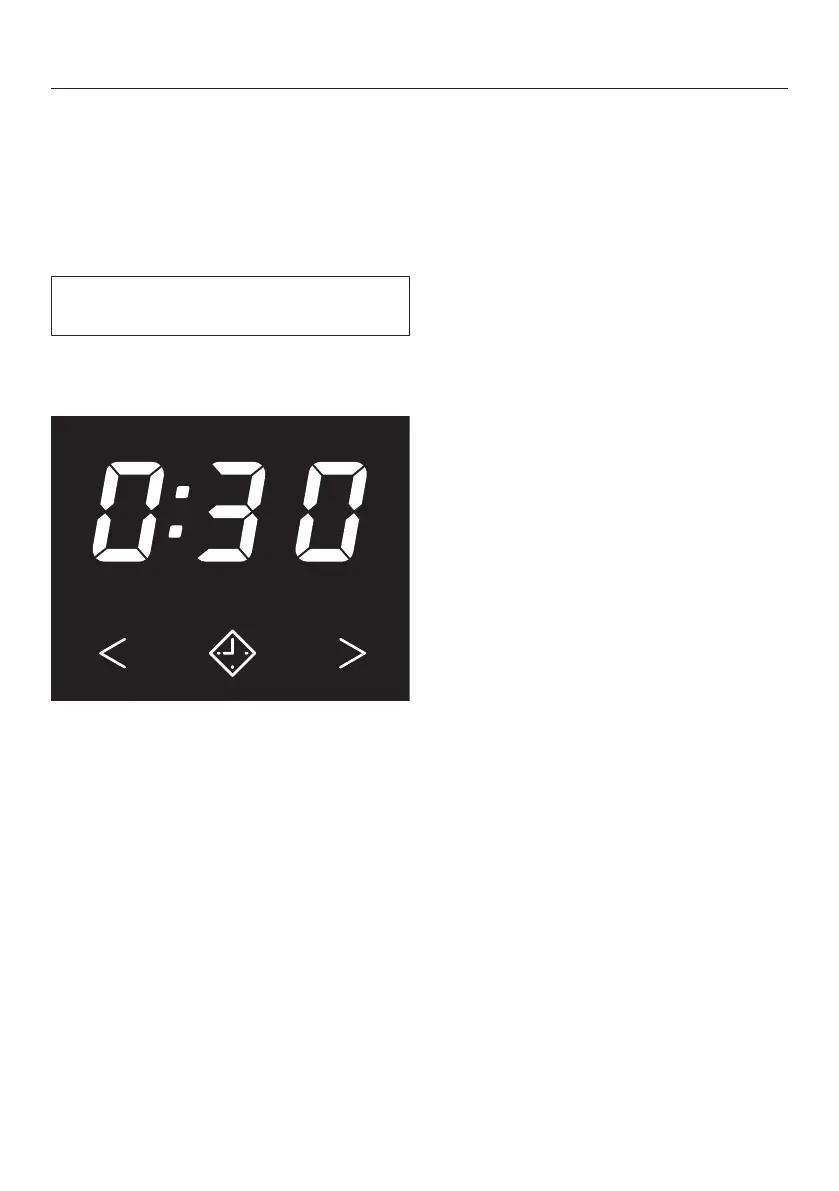
Touch the or sensor repeatedly
until the required Delay start time
appears in the time display.
– For less than 10 hours, the Delay
start time changes in increments of
30 minutes
– For more than 10 hours, the Delay
start time changes in increments of 1
hour
Starting Delay start
Touch the flashingStart/Add laundry
sensor.
The Delay start process starts and
counts down in the time display.
Altering Delay start
Touch the Start/Add laundry sensor.
The Delay start process stops.
Touch the or sensor repeatedly
until the required Delay start time
appears in the time display.
Touch the flashingStart/Add laundry
sensor.
To cancel a Delay start that has
already started
Touch the Start/Add laundry sensor.
The Delay start process stops.
Touch the brightly lit sensor.
Delay start is cancelled and the
sensor goes out. The programme
duration appears in the time display.
Touch the flashing Start/Add
laundrysensor to start the
programme.


 To Next Page