14
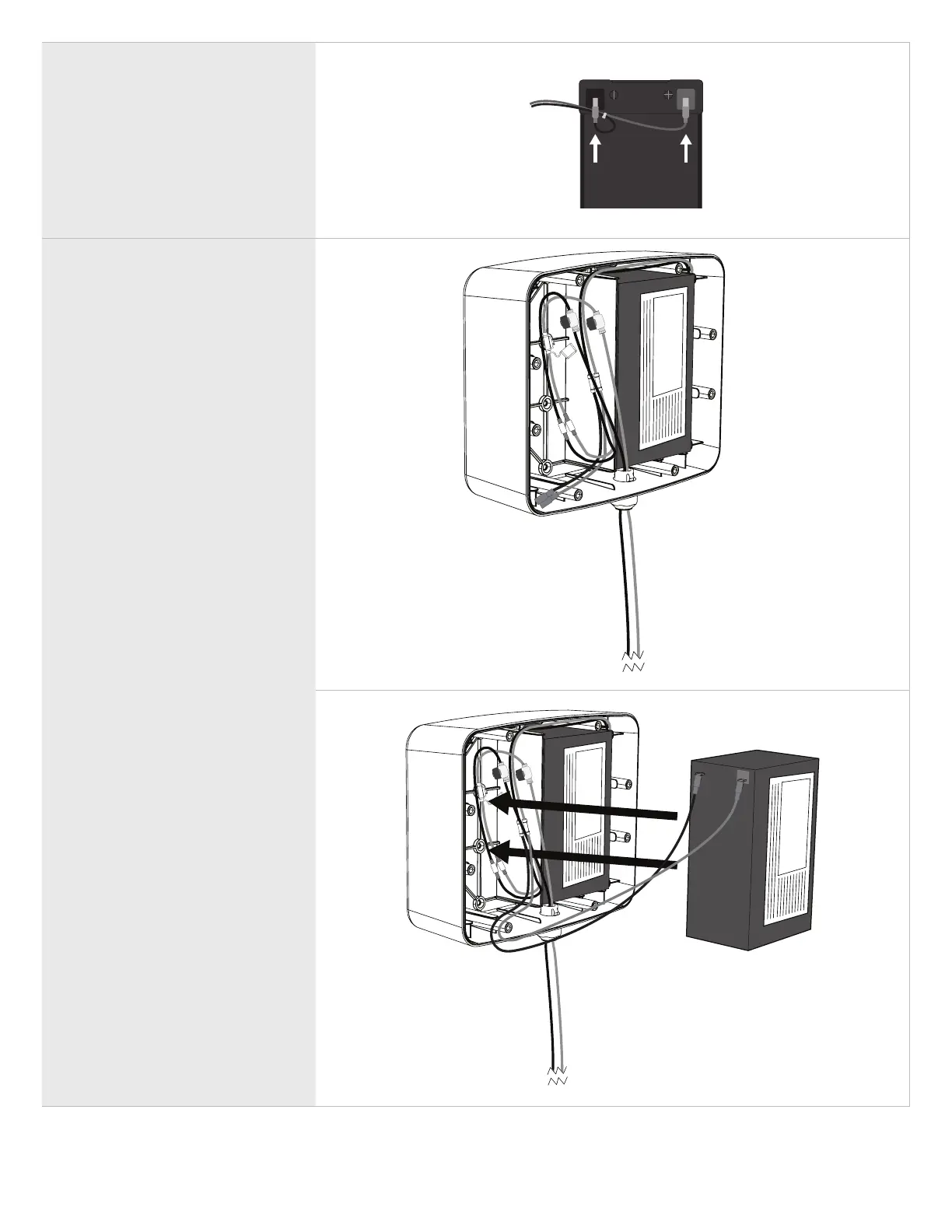
1. Connect the battery harness
to the battery as shown: red
to positive, black to negative
terminals.
2. Place the rst installed battery
into the right side of the Battery
Enclosure Kit with the terminals
facing to the right and towards
the top of the Battery Enclosure
Kit.
Connects to
Control Box
OPTIONAL SECOND BATTERY
• If you’ll be installing a second
battery, connect the second set
of harness connectors to the
battery.
• Insert the battery into the left side
of the Battery Enclosure Kit with
the terminals facing outward.
NOTE: If no second battery is to be
installed, leave the second battery set
of connectors not connected.


 To Next Page