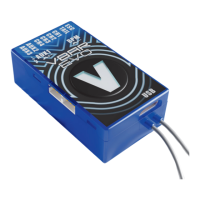
7. Initialization (Pitch Twitch, V is lit)
During Initialization, VBar goes through a self-test. The LED
will ash blue, then. The helicopter must be at rest during this
test. When the test is nished, you will see a brief twitching
(jump) of the swash plate, VBar Control will show ‚Connect‘.
Also the V will light up solid green.
11. Operation
Upon successful initialization of the VBar and pre-ight check
you may proceed to the maiden ight with your VBar. At the
eld you may further adjust any setting using your VBar Control.
Trim ight:
During a trim ight, VBar performs all necessary trims of the
helicopter automatically (elevator, aileron, tail). A trim ight is
not necessary if the servo linkages are installed mechanically
correct, the swash plate is leveled, and the center of gravity
is set properly.
To perform a trim ight, turn on the helicopter while the stick
for collective is at full positive. The VBar conrms this with a
short double-twitch (jump) of the swash plate. With VBar
Control, enable trim ight in Flight Parameters. It is best to
perform the trim ight in very calm weather conditions. For
further information on how to perform a trim ight, click on
“Trimightinfo” in the ight menu, check out vstabi.info, or
consult online help (?) on VBar Control Touch.


 To Next Page