26 27
Troubleshooting
Scenes
Binding
process
Use
process
Fingerprint
function
Failure
phenomenon
Countermeasures
No vehicle found
Failed to bind vehicle
The phone cannot
remotely control the
vehicle
Connecting slowly
Auto lock without
reason
Alarm can not stop
ringing
Fingerprint cannot
be entered
Fingerprint cannot
switch on the ignition
Switch off/on the Bluetooth or restart the APP
and bind again
Vehicle has audible alarm function, you can press
and hold the lock button to mute status
1. Make sure the corresponding finger fingerprint
is entered
2. Please check whether the fingerprint connection
is correct
Please try to clear the fingerprint. After clearing,
touching the sensor again, make sure if there is a
beep. If it cannot be cleared, please check
whether the fingerprint connection is correct
If the vehicle is not connected and the wheel
does not turn for 45 seconds, it will
automatically lock the vehicle to prevent
forgetting to lock the vehicle; this function can
be turned off in the vehicle settings
You can switch off/on Bluetooth and retry the
connection; some Android phones may have
compatibility issues, please be patient
1. Make sure your phone has Bluetooth and
positioning enabled
2. Make sure you press and hold the power key
and the vehicle beeps
3. Make sure the phone is as close to the vehicle
as possible
The mobile phone needs to be connected to the
vehicle before it can be remotely controlled
Note: If there are other usage and related problems, you can check the content of the help
center in the APP. If you cannot solve your problem, you can go to the store for consultation.
DESIGNED BY MIKU TEAM DESIGNED BY MIKU TEAM
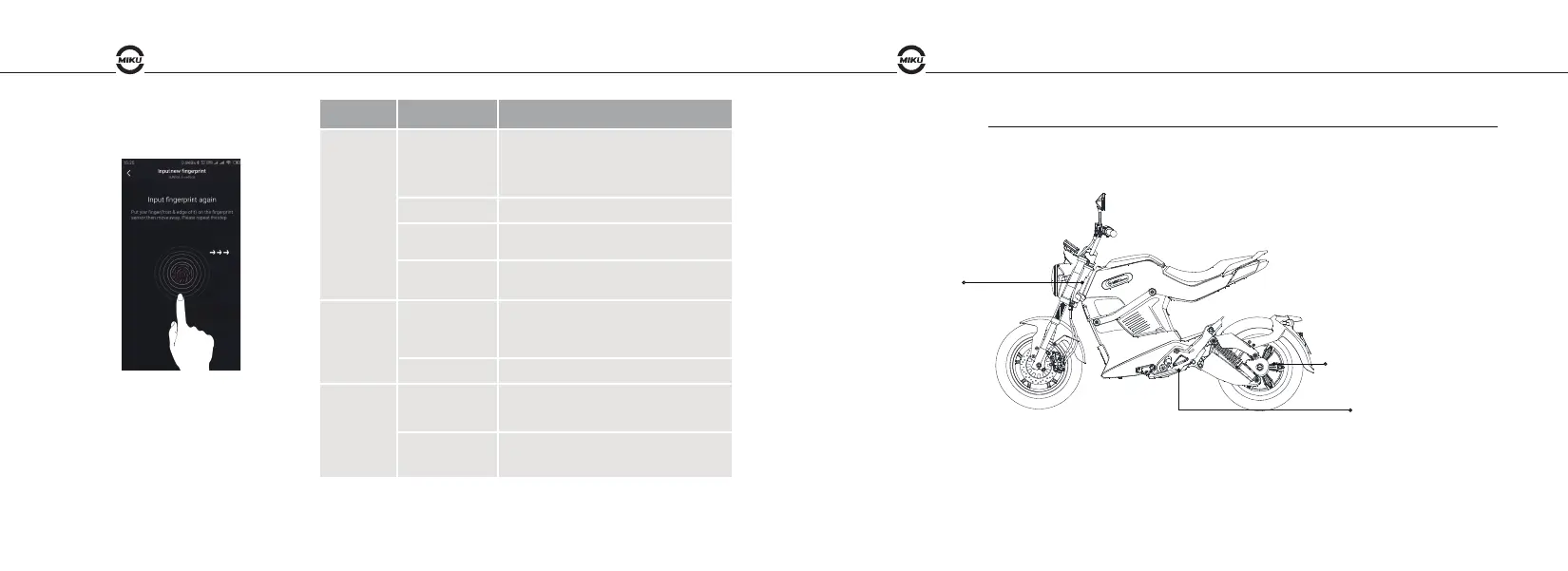
2. Fingerprint use logic: Touch to
unlock, then touch to lock. When
unlocked, long touch the sensor to
open the storagebox.
Serial No.:
The vehicle identification number(VIN) is required for all warranty work, theft recovery and consumer safety.
The complete VIN also appears on a plate at the bottom of chassis frame.
The VIN print is located at steering pipe of chassis frame.
Motor number
VIN plate
VIN No.


 To Previous Page