EasyManua.ls Logo

Milesight MS-C2181-P - Hardware Ports and Components

Milesight MS-C2181-P
61 pages
Print Icon
To Next Page IconTo Next Page
To Previous Page IconTo Previous Page
Loading...
User Manual
www.milesight.com
2
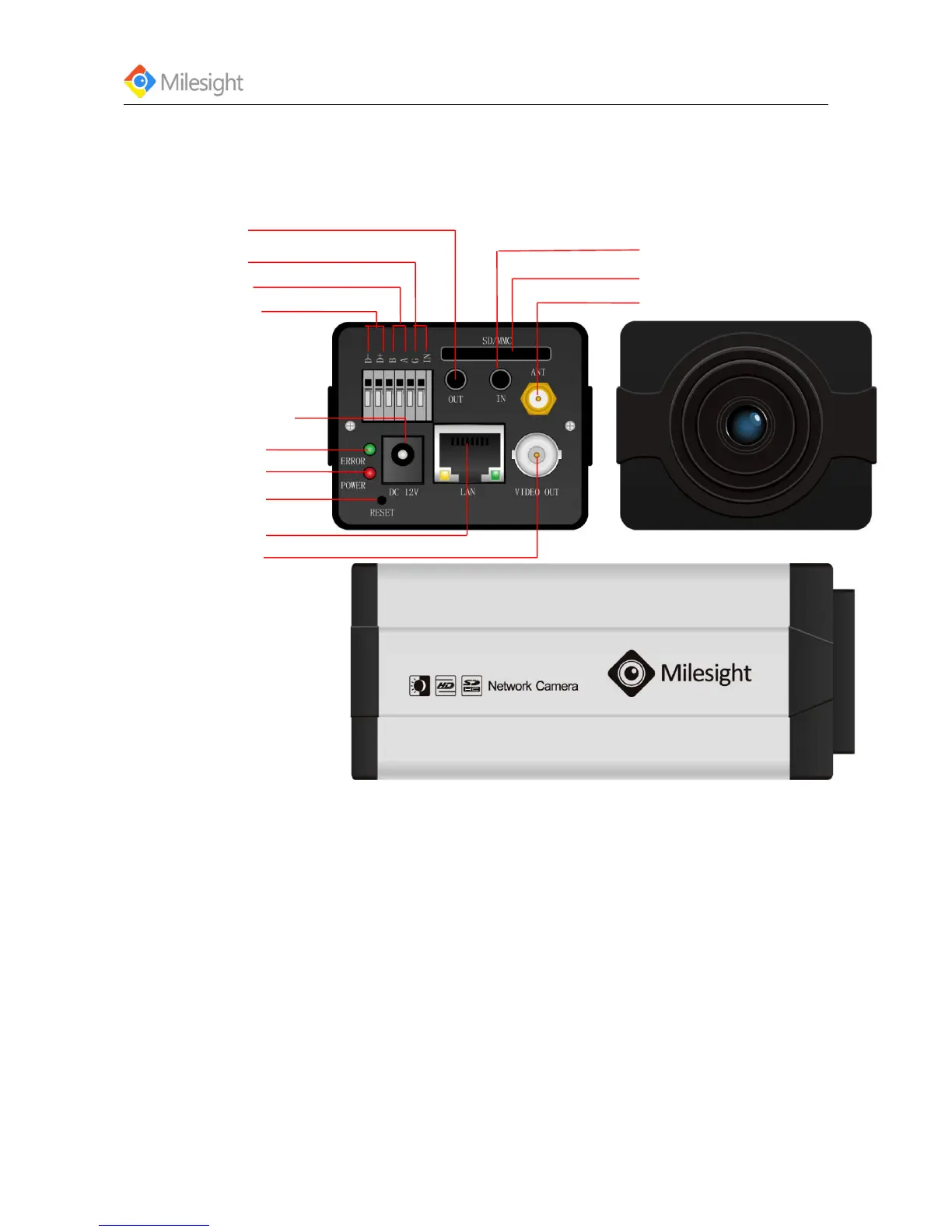
1.3 Hardware Overview
1. Box Camera
*Error LED
Power LED
*Reset Button
Ethernet Port
Power Connector (DC12V)
Alarm Output
RS-485 PTZ control
Alarm Input
Antenna for WIFI (Optional)
Audio Input
SD/SDHC Card Slot
Audio Output
Figure1-1
*Note:
1) Error LED: Error LED is on when the device starts up or runs error.
2) Reset Button: Press ‘Reset’ button for 5 seconds, the device will be restored to factory default.
3) The network camera provides a general I/O terminal block which is used to connect external
input/output devices. Please refer to the following instruction for the connection method.

Related product manuals