UR75 Quick Start Guide
www.milesight-iot.com
2. Hardware Introduction
2.1 Overview
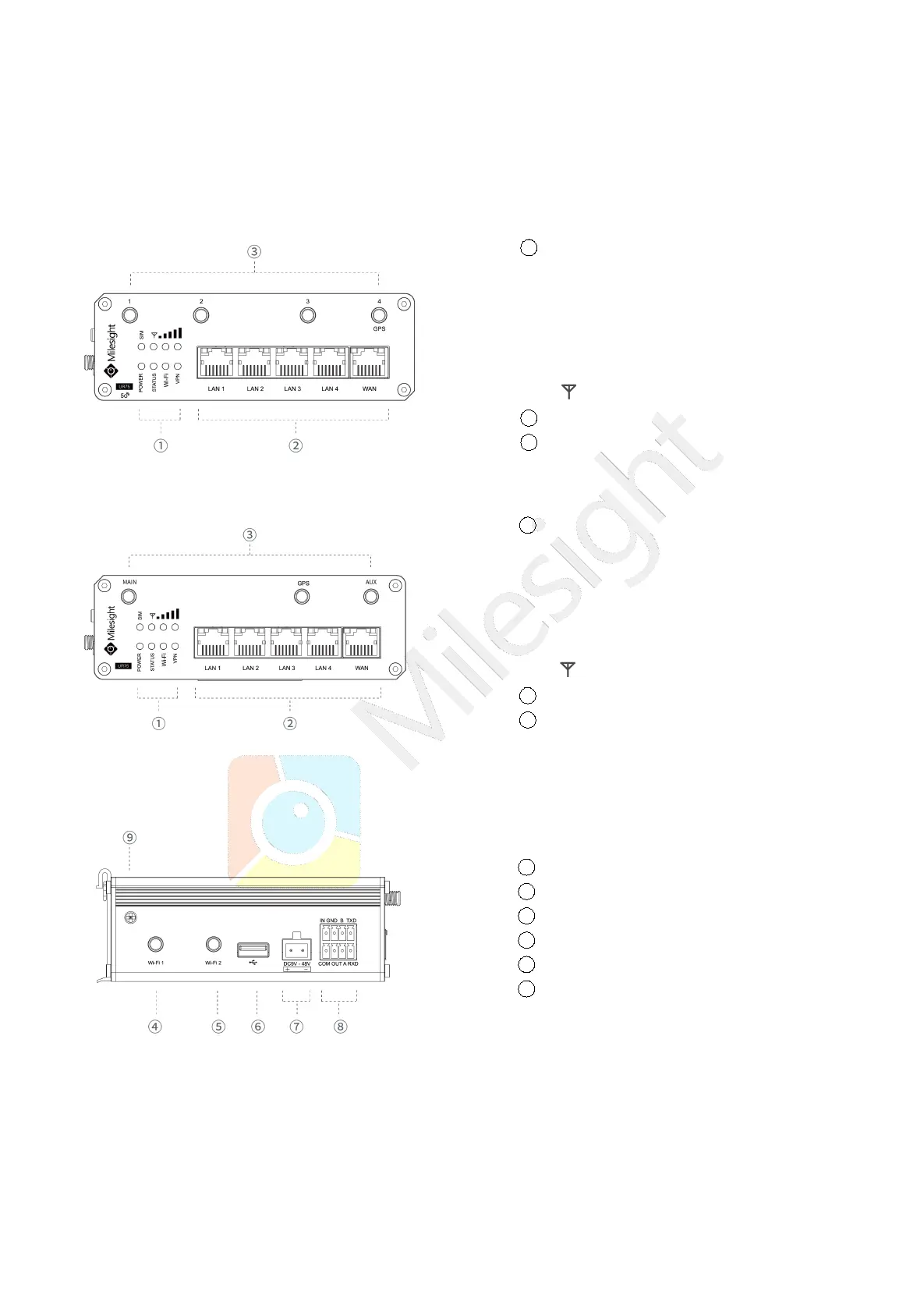
A. Front Panel of UR75-5G
B. Front Panel of UR75-4G
C. Left Side Panel
1 LED Indicator Area
POWER: Power Indicator
SYSTEM: Status Indicator
Wi-Fi: Wi-Fi Indicator
VPN: VPN Indicator
SIM : SIM Status Indicator
: Signal Strength Indicator
2 Ethernet Ports & Indicators
3 Cellular Antenna Connectors
(Connector 4 is for both GPS and cellular)
1 LED Indicator Area
POWER: Power Indicator
SYSTEM: Status Indicator
Wi-Fi: Wi-Fi Indicator
VPN: VPN Indicator
SIM : SIM Status Indicator
: Signal Strength Indicator
2 Ethernet Ports & Indicators
3 Antenna Connectors
MAIN: Main Cellular Antenna Connector
AUX: Auxiliary Cellular Antenna Connector
GPS: GPS Antenna Connector
4 Wi-Fi Antenna Connector 1
5 Wi-Fi Antenna Connector 2
6 USB Port (Reserved)
7 Power Connector
8 Serial Port & I/O Ports
9 Grounding Stud


 To Next Page