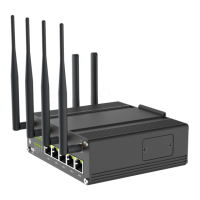
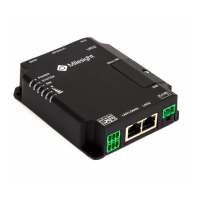
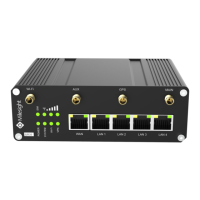
The Milesight UF51 5G CPE is a robust and versatile device designed for high-speed cellular connectivity, offering a comprehensive suite of features for both indoor and outdoor deployments. This quick start guide provides essential information for its installation, configuration, and maintenance, ensuring optimal performance and secure operation.
Function Description
The UF51 primarily functions as a 5G Customer Premises Equipment (CPE), enabling users to access 5G cellular networks and distribute this connectivity via Ethernet or Wi-Fi. It supports various network configurations, including Ethernet WAN, cellular connections, and Wi-Fi, making it adaptable to diverse deployment scenarios. The device is equipped with a web-based Graphical User Interface (GUI) for easy management and configuration, allowing users to monitor system status, adjust network settings, and manage security features.
Key functional components include:
- 5G Cellular Connectivity: The core function of the UF51 is to establish and maintain a connection to 5G cellular networks, providing high-speed internet access. It supports SIM card installation for cellular network access and includes indicators for cellular status (5G, 4G, registration, dialing).
- Ethernet WAN/LAN Port (PoE PD): This port serves a dual purpose. It can act as a WAN port for connecting to an existing wired network or as a LAN port to provide wired internet access to other devices. Crucially, it supports Power over Ethernet (PoE PD), allowing the device to be powered through the Ethernet cable, simplifying outdoor installations by reducing the need for separate power cabling.
- LAN2 Port: An additional LAN port is available for connecting more wired devices, expanding the local network capabilities of the CPE.
- Wi-Fi Connectivity: The UF51 offers Wi-Fi functionality, enabling wireless access for client devices. It supports Wi-Fi configuration, allowing users to set up access points and manage wireless security settings.
- Serial & IO & Power Interface: This interface provides options for serial communication (RS232/RS485), digital input (DI), digital output (DO), and direct DC power input (9-48VDC). These features enhance the device's versatility, allowing for integration with industrial control systems or other specialized applications.
- System and Power Indicators: LED indicators provide visual feedback on the device's operational status, including power, system health, and cellular connection status, aiding in quick troubleshooting and monitoring.
- Reset Button: A dedicated reset button allows users to restore the device to factory default settings, a useful feature for troubleshooting or reconfiguring the device.
Usage Features
The UF51 is designed for flexible deployment and ease of use, incorporating features that cater to both indoor and outdoor environments.
- Flexible Power Supply: The device can be powered either via 802.3af standard PoE through its LAN1/WAN port or directly through a 9-48VDC power supply connected to the terminal block. This flexibility simplifies installation, especially in locations where traditional power outlets are not readily available. It's important to note that both power supply methods cannot be used simultaneously.
- Multiple Installation Methods: The UF51 supports various installation options to suit different environments:
- Desktop Placement: For indoor use, the device can be placed on a desktop using four included rubber feet, ensuring stability and preventing scratches.
- Wall Mounting: A mounting bracket, wall plugs, and screws are provided for secure wall mounting. This method allows for optimal placement to improve signal reception and keep the device out of the way.
- Pole Mounting: For outdoor deployments, the UF51 can be mounted on a pole using hose clamps and the mounting bracket. This is particularly useful for maximizing cellular signal strength in open areas.
- Waterproof Design: When deployed outdoors, the UF51 utilizes a waterproof cover and cable gland to protect its ports and internal components from environmental elements like rain and moisture. Proper installation of the rubber ring and cable gland is crucial to maintain its waterproof integrity.
- SIM Card Installation: The device features an easily accessible SIM card slot, allowing users to insert or remove SIM cards with a simple press mechanism. This facilitates quick activation or replacement of cellular services.
- Web GUI for Configuration: The UF51 offers a user-friendly web-based GUI accessible via a standard web browser (Chrome recommended). This interface allows for comprehensive configuration of all device settings, including network parameters (WAN, cellular, Wi-Fi), security settings, and system management.
- Wireless and Wired Access to GUI: Users can access the web GUI either wirelessly by connecting to the device's Wi-Fi access point or via a wired connection by connecting a PC directly to a LAN port. This dual access method provides convenience and redundancy for management.
- Network Configuration Options: The device supports various network configurations to meet specific requirements:
- Ethernet WAN Configuration: Users can configure the WAN port with static IP, DHCP, or other connection types, and manage link failover priorities.
- Cellular Connection Configuration: Essential cellular settings such as APN, PIN code, authentication type, and network type can be configured through the GUI. It also allows for monitoring cellular connection status and data usage.
- Wi-Fi Configuration: The UF51 can be configured to operate in client mode, allowing it to connect to existing Wi-Fi networks. Users can scan for available networks, join them, and manage Wi-Fi security settings.
- Link Failover: The UF51 supports link failover, allowing users to prioritize different network interfaces (WAN, cellular, Wi-Fi) to ensure continuous internet connectivity. This feature enhances reliability by automatically switching to an alternative connection if the primary one fails.
- ICMP Ping Detection: For critical connections, the device offers ICMP ping detection to monitor the health of network links. Users can configure ping parameters like interval, retry interval, timeout, and maximum ping retries to ensure network stability.
Maintenance Features
The UF51 incorporates several features designed to facilitate ongoing maintenance, troubleshooting, and secure operation.
- LED Indicators for Status Monitoring: The device's LED indicators provide immediate visual feedback on its operational status. This includes:
- Power & System Status (STATUS LED): Indicates if the device is powered off, starting up (orange static), running properly (green static), or experiencing a system error (red static).
- Cellular Status (5G LED): Shows the status of the SIM card and cellular connection. It indicates if the SIM card is registering or failing (off), registered and ready for dial-up (slow blinking green), dialing up (rapid blinking green), connected to 5G (static green), or connected to 4G (static orange).
- Ethernet Link Indicator (Orange): Indicates if the Ethernet link is disconnected or has a connection failure (off), or is connected (on).
- Ethernet Rate Indicator (Green): Shows the Ethernet link speed, indicating 100 Mbps mode (off) or 1000 Mbps mode (on). These indicators are invaluable for quick diagnosis without needing to access the web GUI.
- Remote Management via Web GUI: The web GUI allows for remote monitoring and configuration of the device, reducing the need for physical access. Users can view system information, network status, and perform configurations from any connected device.
- Password Management: For security, the device prompts users to change the default password upon the first login to the web GUI. It also implements a login lockout mechanism, temporarily locking the login page after multiple incorrect password attempts, protecting against brute-force attacks.
- Firmware Updates: While not explicitly detailed in the quick start guide, the presence of a "Firmware Version" display in the system information suggests that the device supports firmware updates, which are crucial for security patches, bug fixes, and new feature additions.
- Factory Reset Functionality: The reset button allows users to easily restore the device to its factory default settings. This is a critical maintenance feature for resolving complex configuration issues or preparing the device for redeployment.
- Comprehensive Documentation: Milesight provides related documents, including a detailed datasheet and a user guide, which offer in-depth information on advanced settings and functionalities. These resources are essential for comprehensive maintenance and troubleshooting.
- Technical Support: Milesight offers dedicated technical support via email, phone, and fax, providing a direct channel for assistance with any issues or queries related to the UF51. This ensures that users can get expert help when needed.
- Compliance and Certifications: The UF51 is in conformity with CE, FCC, and RoHS standards, indicating that it meets relevant safety, environmental, and electromagnetic compatibility requirements. This assures users of the device's quality and adherence to international regulations.

 Need help?
 General

 To Next Page