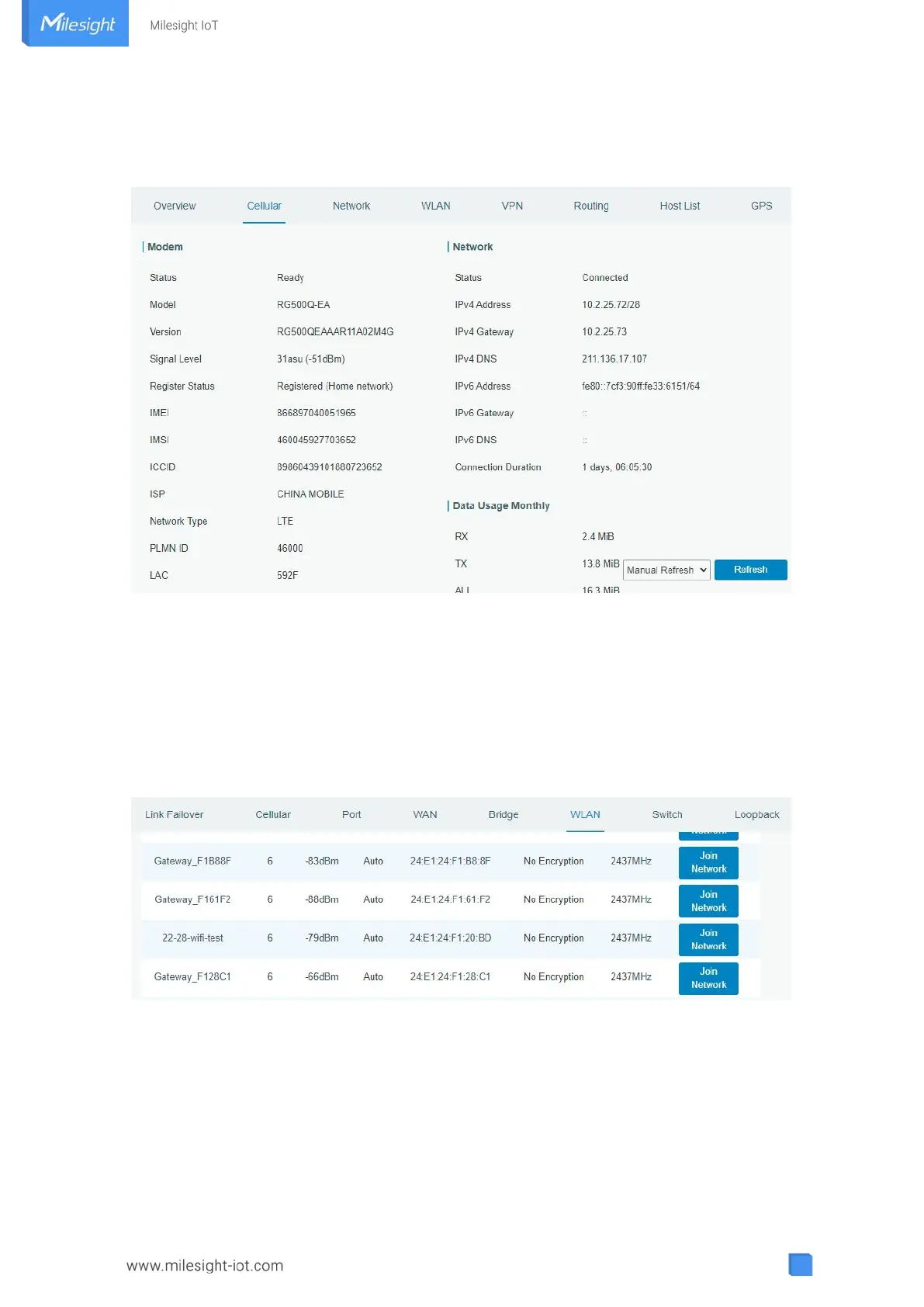
D. Click “Status > Cellular” to view the status of the cellular connection. If it shows “Connected”, it
means SIM1 has dialed up successfully. On the other hand, you can check the status of indicator. If it
keeps light up statically, it means the SIM has dialed up successfully.
E. Open your preferred browser on PC, then type any available web address into address bar and see if it
is able to visit Internet via UF51.
6.3 Wi-Fi Configuration
A. Go to “Network” → “Interface” → “WLAN” and select “Client” mode.
B. Click “Scan” to search for Wi-Fi access point. Select the available one and click “Join Network”.
C. Type the key of Wi-Fi.



 To Next Page