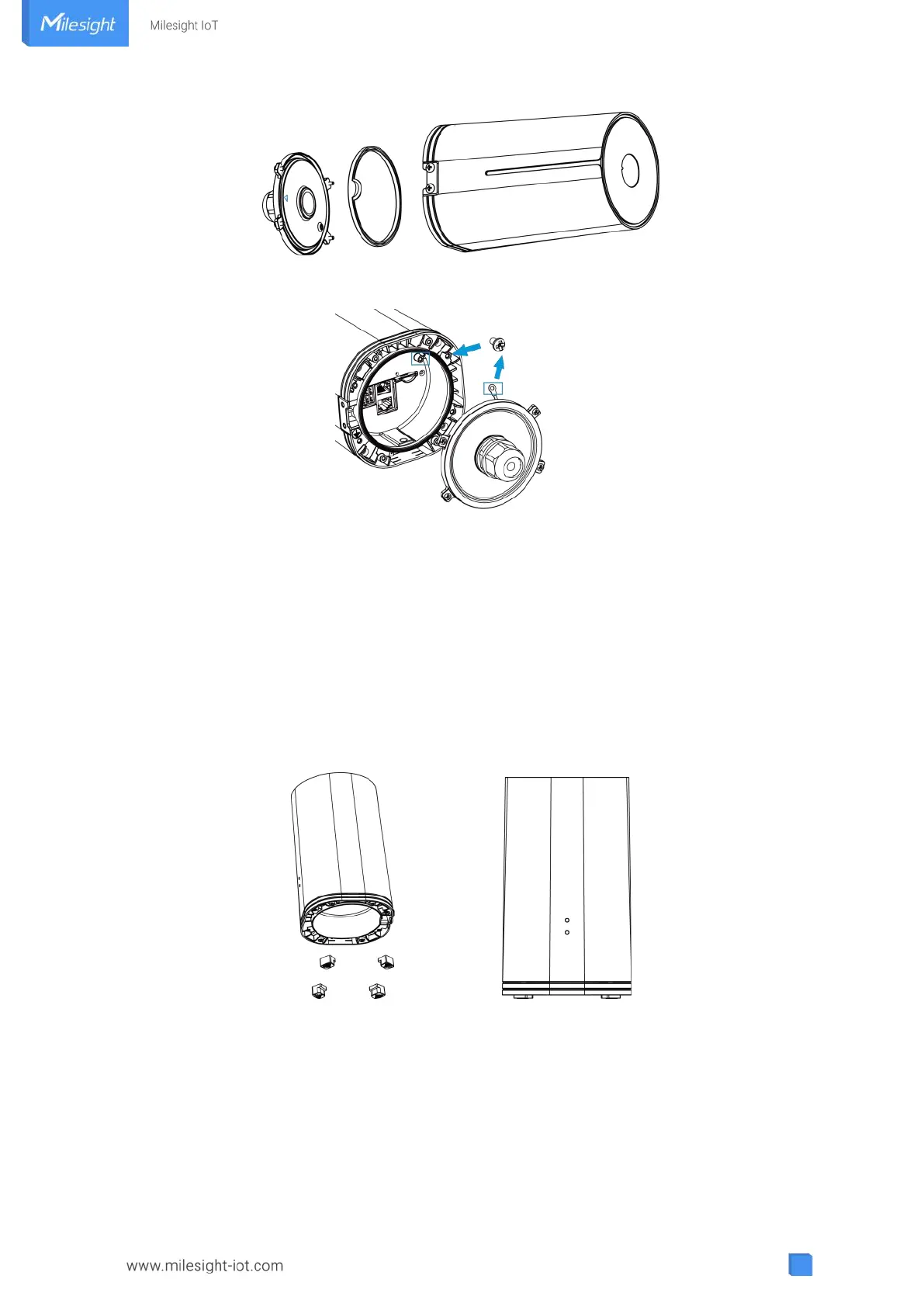
Note: Bottom cover can be fixed with the device via the wiring behind the cover.
4.3 Device Installation
UF51 supports multiple installation methods like desktop, wall mounting, pole mounting, etc. Before you
start, make sure that your SIM card has been inserted and all cables have been installed.
Note: Do not connect device to power supply or other devices when installing.
4.3.1 Desktop
When using indoors, pile 4 rubber feet into the gaps at the bottom of the device. The rough surface of
rubber feet should face desktop.
4.3.2 Wall Mounting
Preparation: mounting bracket(with 2 screws), wall plugs, wall mounting screws and other required
tools.
A. Align the mounting bracket horizontally to the desired position on the wall, use a marker pen to mark
four mounting holes on the wall, and then remove the mounting bracket from the wall.



 To Next Page