Milesight will not shoulder responsibility for any loss or damage resulting from not following the
instructions of this operating guide.
The device must not be modified in any way.
Do not place the device close to objects with naked flames.
Do not place the device where the temperature is below/above the operating range.
Do not power on the device or connect it to other electrical device when installing.
Check lightning and water protection when used outdoors.
Do not connect or power the equipment using cables that have been damaged.
Related Documents
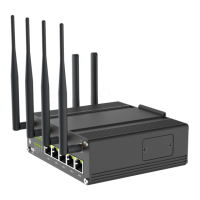
This Start Guide only explains the installation of Milesight UF51 CPE. For more functionality and
advanced settings, please refer to the relevant documents as below.
Datasheet for UF51 5G CPE.
Users can refer to the guide for instruction on how to log in the web GUI, and
how to configure all the settings.
The related documents are available on Milesight website: https://www.milesight-iot.com
Declaration of Conformity
UF51 are in conformity with the essential requirements and other relevant provisions of the CE, FCC, and
RoHS.
© 2011-2022 Xiamen Milesight IoT Co., Ltd.
All rights reserved.
All information in this guide is protected by copyright law. Whereby, no organization or individual shall
copy or reproduce the whole or part of this user guide by any means without written authorization from
Xiamen Milesight IoT Co., Ltd.
For assistance, please contact
Milesight technical support:
Email: iot.support@milesight.com
Tel: 86-592-5085280
Fax: 86-592-5023065
Address: Building C09, Software Park III, Xiamen
361024, China



 To Next Page