4
1.3 Notes on cleaning
• If required, only clean the device’s surface with a slightly damp cloth, and ensure that no
moisture can penetrate into the device.
• Do not use solvents or other aggressive or abrasive cleaning agents, as these can damage the
device’s surfaces and lettering.
1.4 Package contents
The package contains the following components:
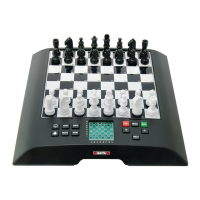
• 1 ChessGenius chess computer
• 16 white chess pieces
• 16 black chess pieces
• 3 R6 batteries, size AA, 1.5 V
• 1 user manual
• 1 warranty card
After unpacking, please check the contents for completeness and any possible signs of damage that
could have occurred during transport. In the event of a complaint, please promptly contact the
dealer where you obtained the product.
1.5 Using the chess pieces
The chess pieces can be positioned on the device’s game board.
Thanks to the built-in magnets, the pieces stick to the game board
and are so protected against slight slipping or toppling over.
To enter a move, press the appropriate square with your finger or the
edge of a chess piece.
Moves are always entered by first pressing the starting square and
then the target square. Incorrect entries (impossible or inadmissible
moves) are indicated by an appropriate error message or a humming noise emitted by the device.
The magnets in the chess pieces are not necessarily required in order to be able to play using the
computer. If the magnet should fall out of the bottom of a chess piece, continue to use the chess
piece as normal. The computer will continue to function correctly.


 To Next Page