Retracting and replaying moves
To retract a move, press the button, then move the piece back, pressing the squares
indicated in red. Then if the move was a capture, you will be prompted to press the
captured piece down as you replace it.
To retract a sequence of moves, repeat the above procedure. Alternatively: to retract (e.g.)
5 moves, press five times, then press the squares to take back the concluding move of
the sequence.
A move or sequence that you have retracted can be replayed in a similar manner, using
instead of .
At any point you may resume play from the position on the board, by making a new move
or instructing ChessGenius to do so (see Section 8: “Move now”)
Meaning of symbols in the bottom line
A smiling face indicates that you are to move. A pair of faces shows that the computer is
in “2 Players” mode (see Section 8).
A rising/falling column shows that ChessGenius is thinking about its move.
The bar below the symbol indicates which colour moves next.
Info and analysis windows during the chess game
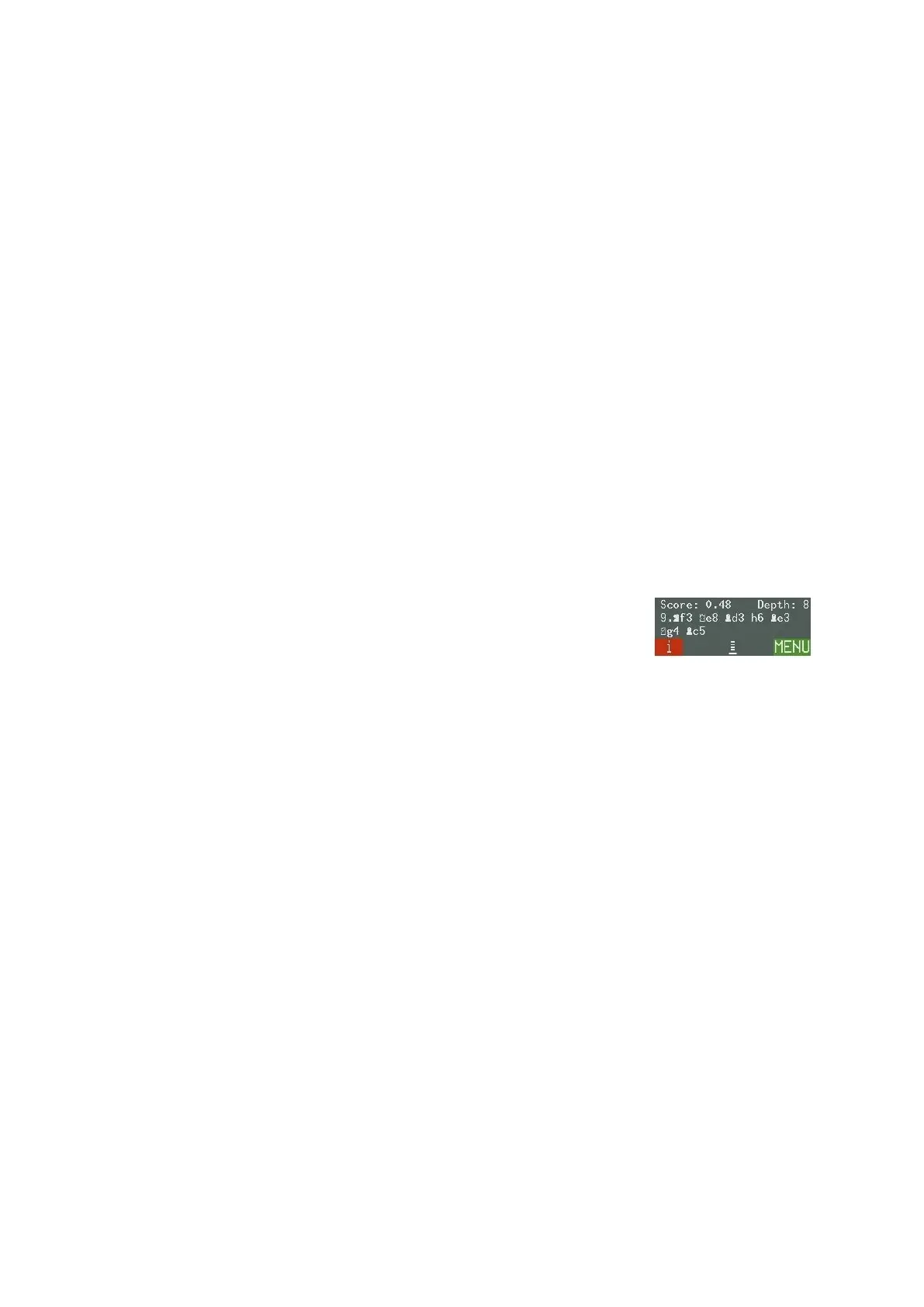
When “i” is shown at the bottom left, the RED button cycles round
three “info” displays: the clock times for White and Black, the last
few moves played, and the computer’s analysis of the position (see
example).
The moves shown are the “main line”, i.e. the continuation that ChessGenius rates as
strongest for both sides. A press on switches between this display and the name of the
opening with which the game started (available in English and German only).
“Score” gives the evaluation of the position. Here the computer thinks it has an advantage
worth nearly half a pawn. The number on the right is the “search depth”: when it
calculated the main line, ChessGenius was looking 8 “ply” ahead (one ply is a single move
by White or Black).
Further examples of items in the info display:
• Score: –1.85 The computer has a disadvantage nearly equivalent to 2
pawns.
• Score: Mate 7 The computer can force checkmate in 7 more moves.
• Score: –Mate 4 The opponent can force checkmate in 4 more moves.
• Book 6.e3 The current position and the move 6.e3 are in the computer’s
“openings book” (see Section 9).



 To Next Page