OM-244 997 Page 30
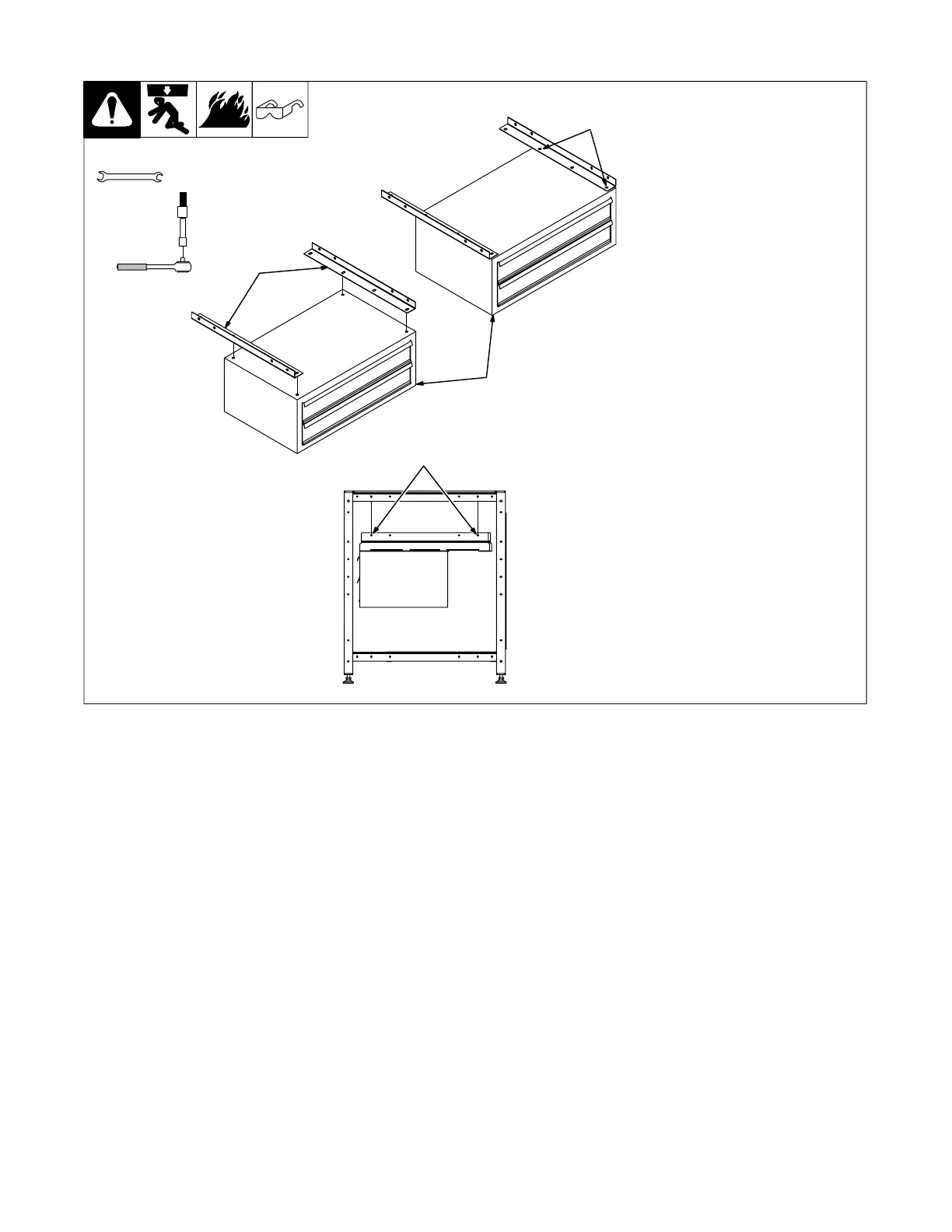
5-2. Installing Optional Tool Chest Under Solid Top
. For solid top, use brackets and
hardware that came with the
tool chest.
1 Brackets
2 Tool Chest
Use four bolts CC that came with
the tool chest and install brackets to
top of tool chest. Be sure that
brackets are pushed in as close
together as possible.
Raise tool chest/bracket assembly
into position, brackets should be to
inside of angle iron on subframes.
Use the supplied four bolts AA and
install tool chest assembly to the
welding table.
Tighten all hardware at this time.
Tools Needed:
1/2 in.
hex bit 3/16 in.
2
CC
1
Side View
AA


 To Next Page