OM-244 997 Page 35
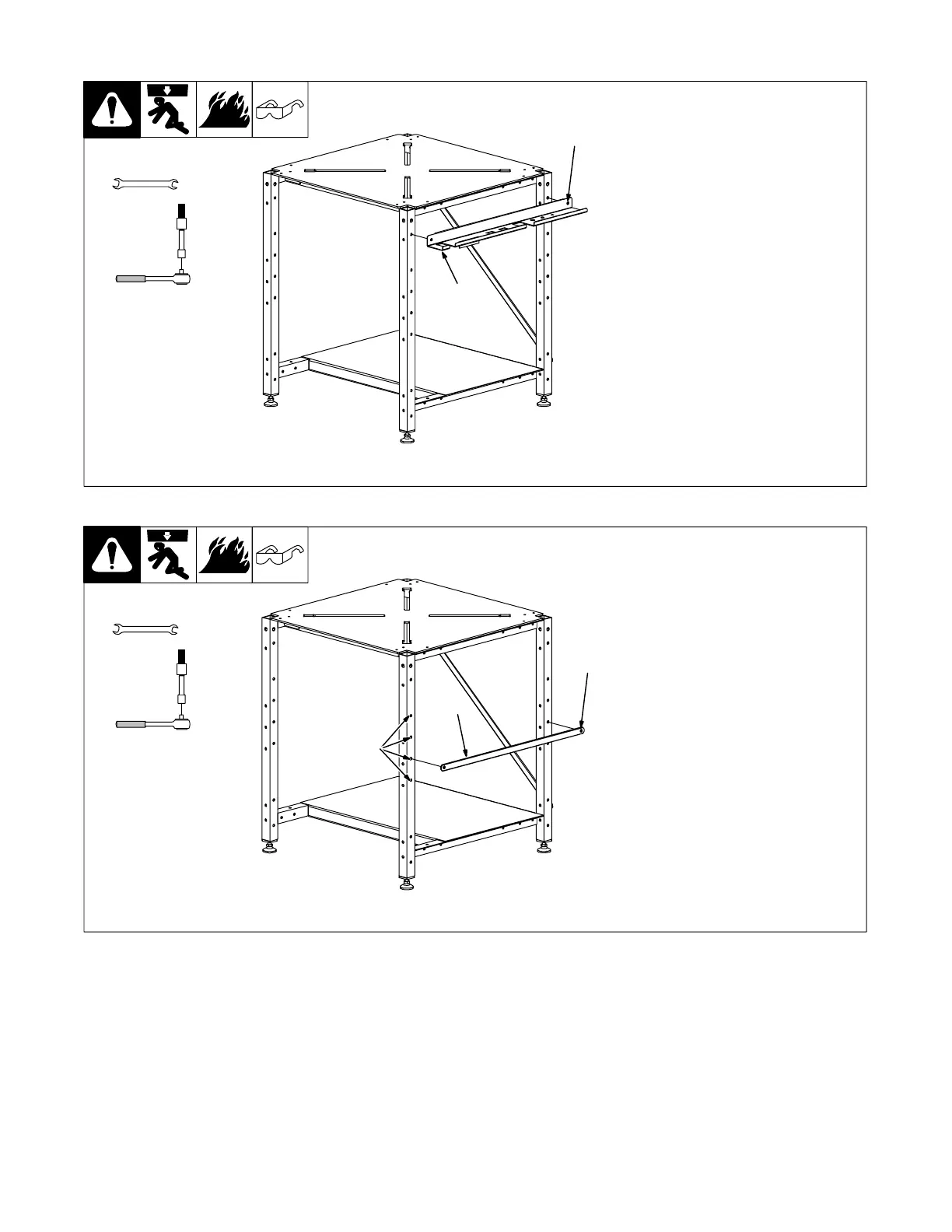
5-8. Installing Convenience Kit Tool Tray
1 Optional Tool Tray
Select the desired side of the
welding table to install the tool tray.
Use two supplied bolts EE and
locknuts ZZ to secure tool tray to
subframe.
Tools Needed:
hex bit 3/16 in.
1/2 in.
1
EE and ZZ
5-9. Installing Convenience Kit Clamp Bar
1 Optional Clamp Bar
2 Mounting Hole Selection
Select the desired side of the weld-
ing table to install the clamp bar.
Use two supplied bolts EE and
locknuts ZZ to secure clamp bar to
subframe.
Tools Needed:
hex bit 3/16 in.
1/2 in.
1
EE and ZZ
2


 To Next Page