Need help?
Do you have a question about the Milwaukee M-SPECTOR 360 2313-20 and is the answer not in the manual?
Guidance on maintaining a safe work environment and handling electrical risks associated with the tool.
Instructions on staying alert, using protective equipment, and maintaining balance for safe tool operation.
Guidelines for proper tool maintenance, usage, and avoiding hazards during operation.
Recommendations for handling and charging Milwaukee battery packs to prevent hazards.
Details on catalog numbers, voltage, and cable lengths for the inspection scope.
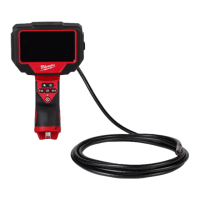
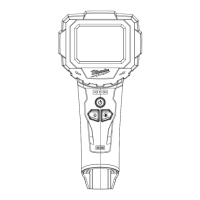
Identifies and describes the key components and controls of the M-SPECTOR 360 inspection scope.
Instructions for inserting/removing the battery pack and attaching/removing accessories.
Procedures for turning the tool on/off, understanding sleep mode, fuel gauge, and camera LED.
Explanation of symbols indicating user responsibilities and safety precautions.
Guidelines for maintaining the tool, battery, and charger, including cleaning procedures.
Describes how to rotate the screen for optimal viewing during use.
Step-by-step instructions on how to properly insert and use the inspection scope.
Information on using and obtaining accessories specifically recommended for the tool.
Details on the tool's warranty coverage, limitations, and procedure for claims.
Contact information and resources for Milwaukee tool service and support in the USA.
Contact information and resources for Milwaukee tool service and support in Canada.
Contact information and resources for Milwaukee tool service and support in Mexico.
 General
| Type | Inspection Camera |
|---|---|
| Display | 3.5" LCD |
| Weight | 1.5 lbs |
| LED Brightness | Adjustable |
| Light Source | LED |
| Resolution | 640 x 480 pixels |
| Display Size | 3.5 inches |

 To Next Page