9
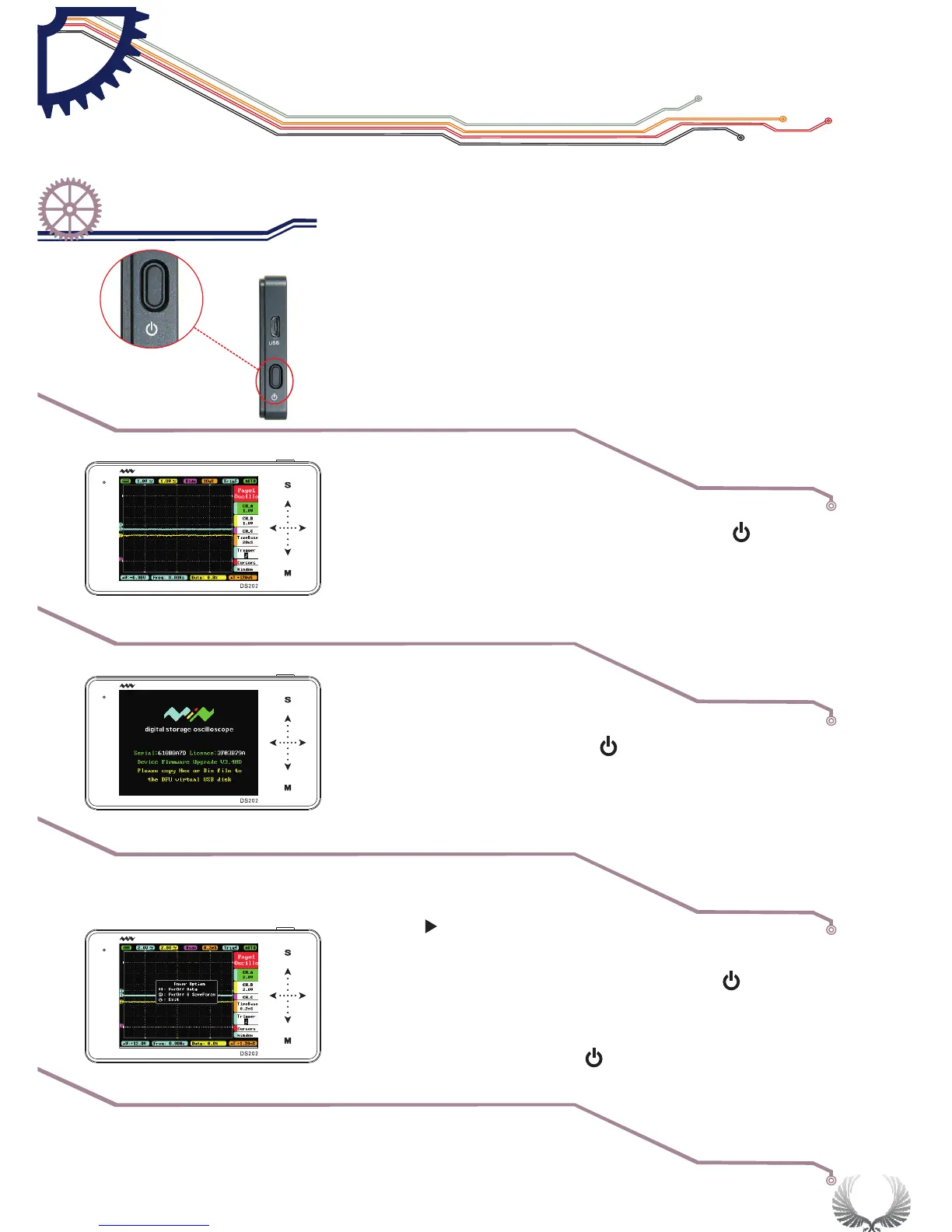
●Power On/Off Button
●In the shutdown state,press on Power Button" " for
approximately 2 seconds to start normally
Starting up
The default enter
into APP1
Upgrading/
Upgrade mode
●Press and hold Power button" "for approximately 4
seconds to enter into DFU mode
Forced Shut
Down
●Press“ ”Run/Pause”button to Power On and enter
APP2( if APP2 is not installed, then enter the DFU mode)
●In the Power On state, press Power button“ ”for
approximately 2 seconds to pop-up “Power Off” menu,
according Icon operation Choose Power Off. (In the
Power On state, long press“ ”Power button for 8
seconds to force Shut Down.)
||
Start Guide
Power On/Off
Chapter 3


 To Next Page