11
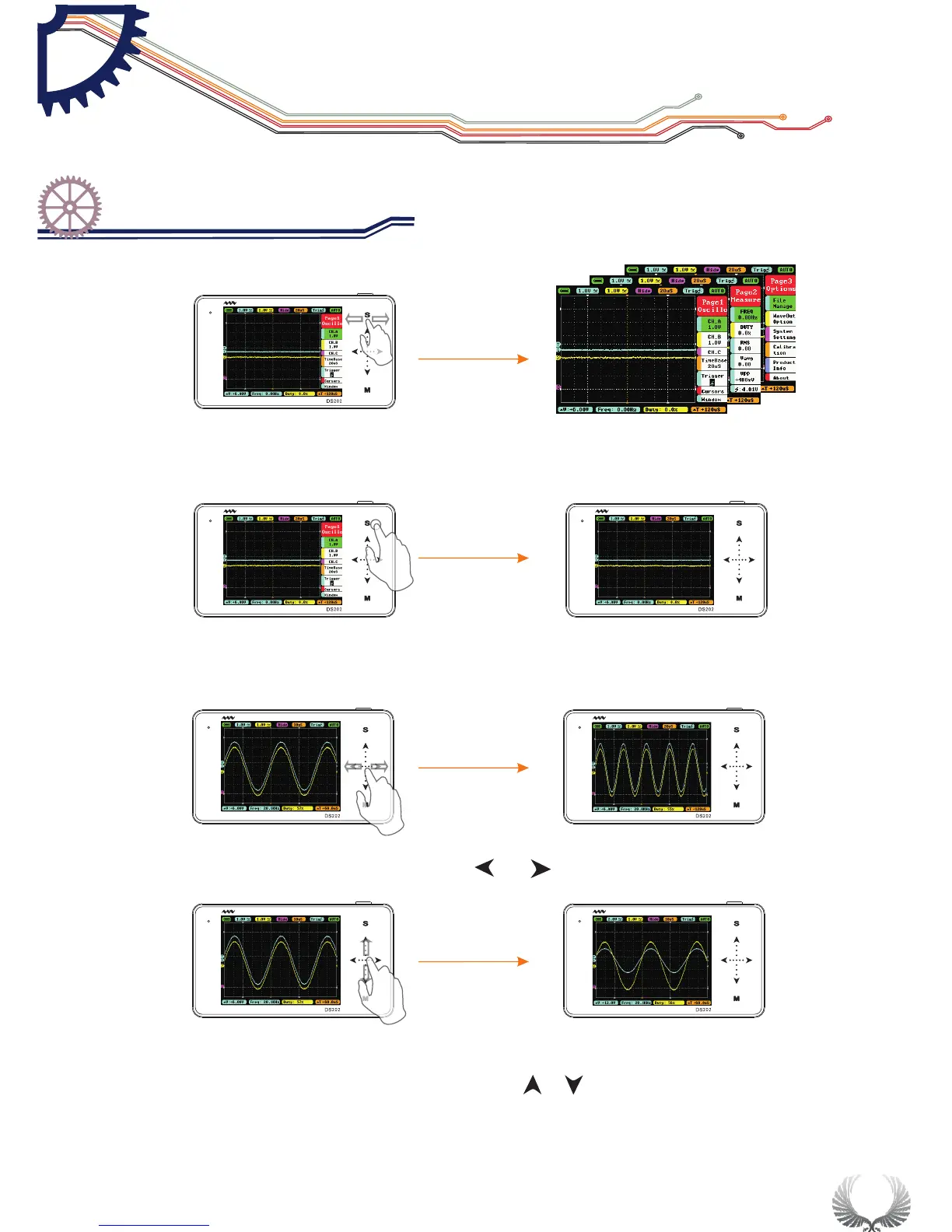
In the Main Menu interface, you can switch between the Main Menu pages by
sliding horizontally on the upper Touchpad.
In the Main Menu interface, tap “S” button to switch the Main Menu Display/ Hide
When the Main Menu is hidden, you can slide ••• horizontally to change the TimeBase
When the Main Menu is hidden, you can slide ··· vertically to change voltage
(shortcut for Channel A only)
Start Guide
Operation introduction
Chapter 3


 To Next Page