12
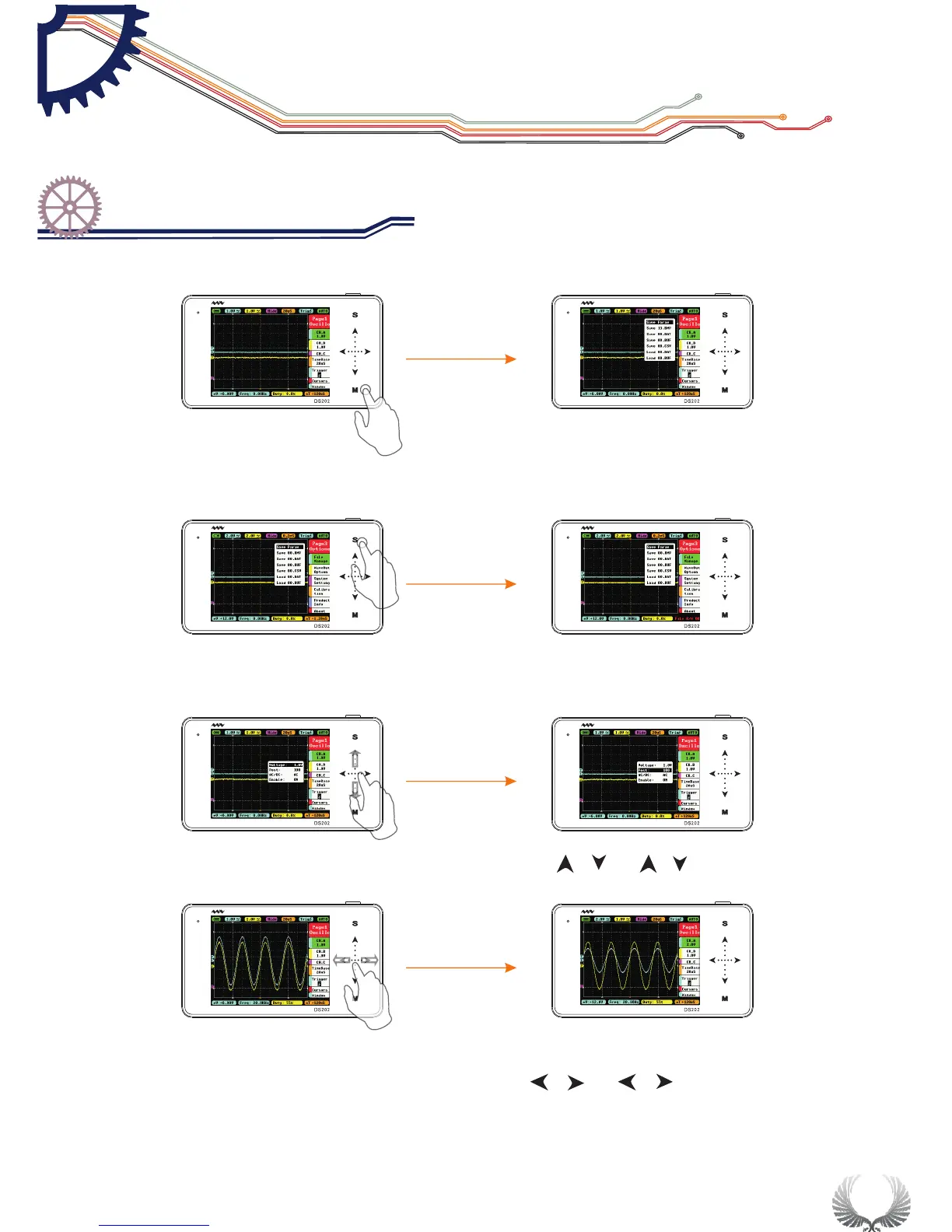
In the Main Menu interface, tap “M” button to switch the Sub-menu to Display/Hide
In the Sub-menu interface, tap “S” button to confirm the selection of operation
In the Main Menu or Sub-menu interface, tap " "" "or" "" "slide vertically
to select items upward or downward
In the Main Menu or Sub-menu interface, tap" "" "or" "" "slide horizontally
to adjust the Menu parameters( When you move Positions in Sub-menu interface,
tap and hold your finger for continuous operation)
Start Guide
Operation introduction
Chapter 3


 To Next Page