13
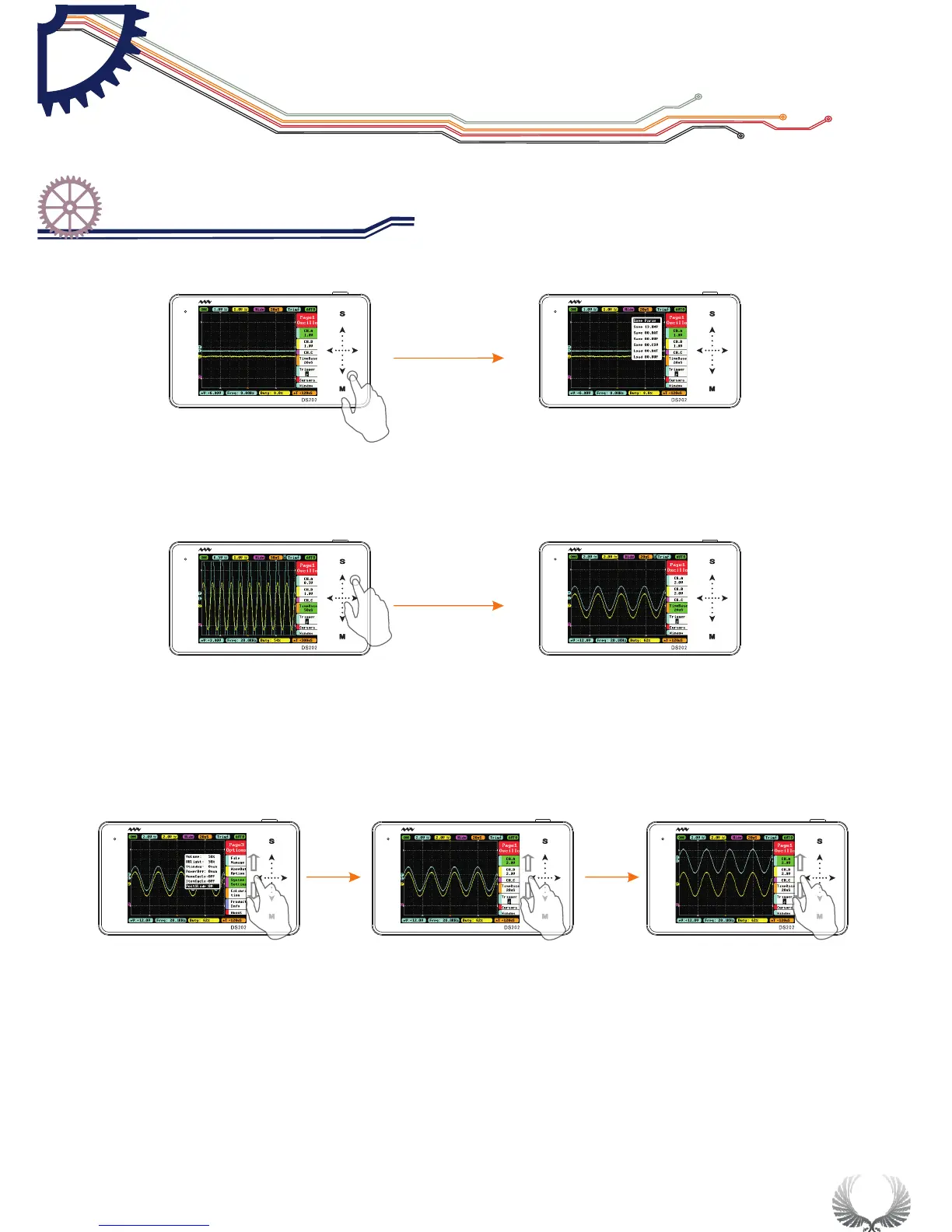
In the Main Menu or Sub-menu interface,tap and hold an non-button identification
area to Display/Hide file management sub-menu
When you turn on “Auto Fit” in “Trigger”, double-tap the non-button identification
area, the device will adjust automatically the amplitude, the time base and the trigger grid.
In the System Setting interface, when “PostSlide” is ON, slide up/down vertically the
touchpad in the left to adjust the position.
Start Guide
Operation introduction
Chapter 3


 To Next Page