TROUBLESHOOTING
TROUBLESHOOTING INSTRUCTIONS
ERROR MESSAGES
The alarm will sound at the same time these messages are displayed. Push silence to quiet the alarm and
acknowledge the problem. These messages indicate that some or all of the protection of your associated
equipment has been interrupted.
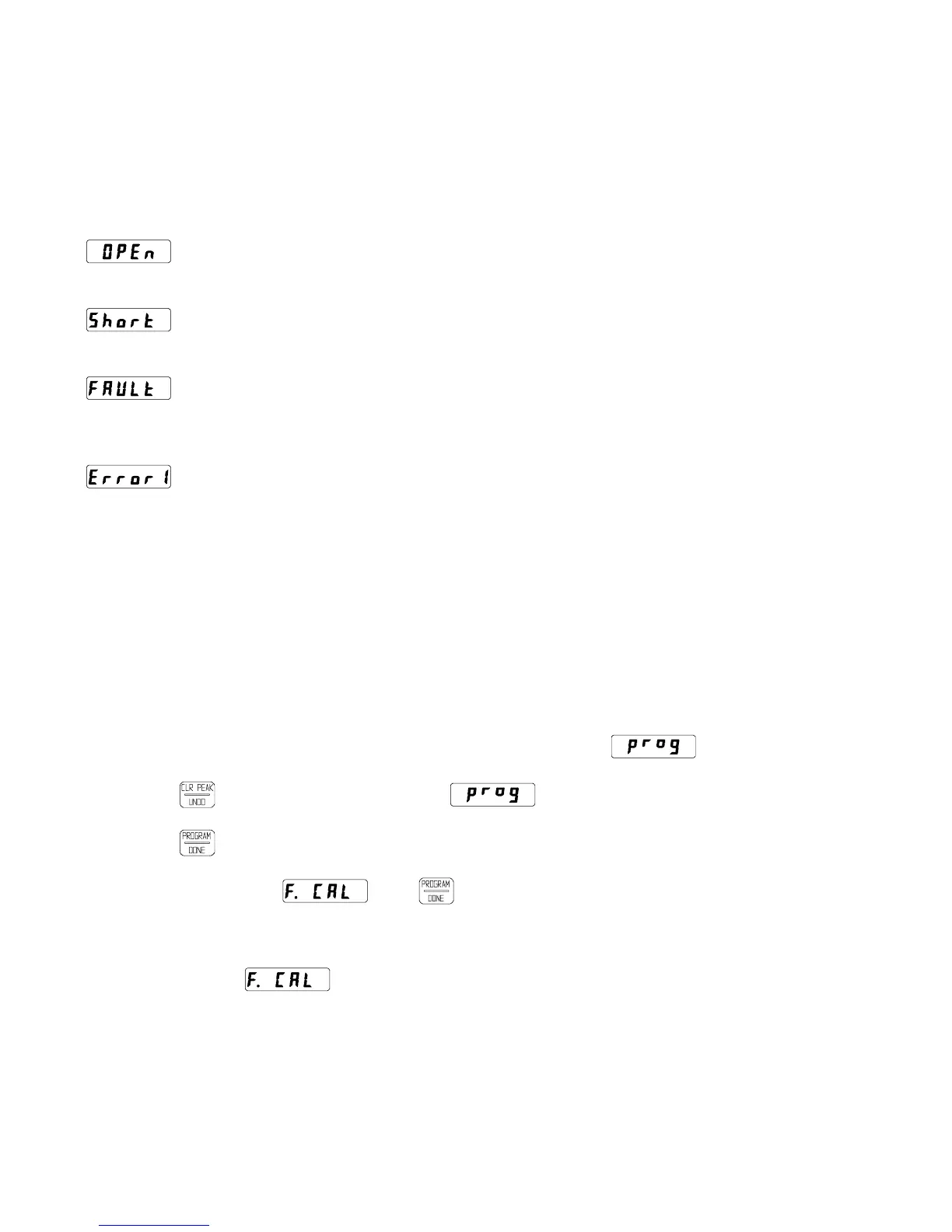
: OPEN: There is a break in the indicated input RTD wiring or the resistance represents
a temperature higher than the temperature range of the CT124.
: SHORT: There is a short in the indicated input RTD wiring or the resistance represents
a temperature lower than the temperature range of the CT124.
: FAULT: The RTD for the indicated input zone has an intermittent problem. This
message will also appear after a "short" or "open" has been fixed. To restore operation
of that zone, perform the test sequence described on page 11.
: ERROR 1: This indicates that the CT124’s non-volatile memory has been corrupted. The
message may flash slowly while sounding the alarm (see below).
Recovering From Error 1
If the memory test fails when the CT124 is powered up, Error1 is displayed. This is designed to occur
when the useful life of the non-volatile memory has expired (typically greater than 10 years). Extreme
power line transients may also corrupt the memory. You may or may not be able to restore operation.
Perform the following steps to attempt recovery:
1. Disconnect or shutdown any equipment connected to the output relays. The following steps may
have an unpredictable effect on the outputs.
2. Enter programming mode (see page 12). The display should read .
3. Push twice. The display should read again.
4. Push . If the display begins to read normal temperatures, go to step 6.
5. If the display reads , push .
If the display begins to read normal temperatures, go to step 6.
If it still reads , your CT124 has permanently lost the factory calibration data stored
inside. You may be able to recalibrate using the calibration instructions (see page 20), but you
will not be able to restore factory calibration in the future unless the unit is returned to the factory
(see page 21).
6. Double check the CT124’s program against the setup worksheet for your application. Follow the
programming instructions on page 12.
7. Cycle the CT124’s power OFF and ON once to see that normal operation is restored.
Minco Products, Inc. CT124 Instruction Manual
18


 To Next Page
 Loading...