
 Need help?
Do you have a question about the Mindray MEC-1000 and is the answer not in the manual?
Details warranty terms and conditions for the product.
Lists conditions under which the warranty does not apply.
Instructions for obtaining authorization before returning a unit.
Outlines customer responsibility for shipping costs and customs fees.
Explains common equipment symbols and their significance.
Highlights important notes, cautions, and warnings for safe operation.
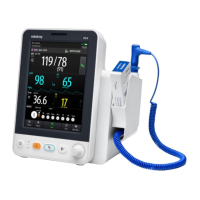
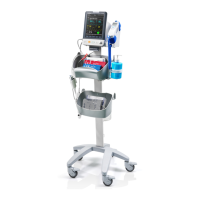
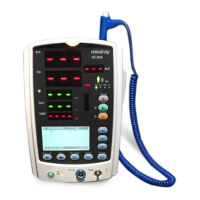
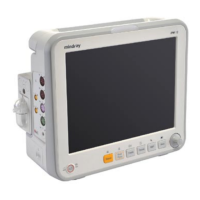
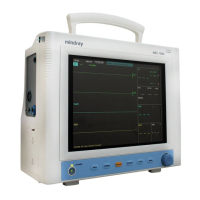
The MEC-1000 is a portable multi-parameter patient monitor designed for comprehensive patient monitoring. It integrates various monitoring functions into a compact and portable unit, making it suitable for a range of clinical environments. The device is manufactured by Shenzhen Mindray Bio-Medical Electronics Co., Ltd. and is designed to provide safety, reliability, and performance when operated according to the provided manual.
The MEC-1000 monitor is capable of monitoring several vital parameters, including Electrocardiogram (ECG), Respiration (RESP), Pulse Oximetry (SpO2), Non-Invasive Blood Pressure (NIBP), and Temperature (TEMP).
ECG/RESP Monitoring: The device provides detailed ECG monitoring, allowing clinicians to assess the electrical activity of the heart. It supports various ECG screen hot keys for quick access to relevant functions. Arrhythmia (Arr.) monitoring is an optional feature, enhancing the device's capability to detect and analyze irregular heart rhythms. Respiration monitoring is also integrated, providing insights into the patient's breathing patterns. Precautions and specific monitoring procedures are outlined to ensure accurate and safe use.
SpO2 Monitoring: The MEC-1000 offers SpO2 monitoring, which measures the oxygen saturation level in the patient's blood. The manual details the principles of SpO2 monitoring, necessary precautions, and the monitoring procedure. It also highlights limitations for measurement, ensuring users understand the conditions under which accurate readings can be obtained. A dedicated SpO2 menu allows for configuration and management of this parameter, along with alarm descriptions and prompts for critical events.
NIBP Monitoring: Non-Invasive Blood Pressure (NIBP) monitoring is a core function, providing systolic, diastolic, and mean arterial pressure readings without invasive procedures. The manual introduces NIBP monitoring, outlines the monitoring process, and describes the NIBP SETUP menu for customization. It also includes information on NIBP alarm messages to alert users to significant changes in blood pressure.
TEMP Monitoring: The device includes temperature monitoring, allowing for continuous or intermittent measurement of patient temperature. The TEMP SETUP menu provides options for configuring temperature monitoring parameters.
Alarm System: A comprehensive alarm system is integrated into the MEC-1000 to alert clinicians to changes in patient status that may require intervention. The manual describes different alarm modes, including an alarm self-test function to ensure the system is operational. It explains various alarm causes and provides guidance on how to use the SILENCE/CLOSE/PAUSE functions for alarm management. Parameter-specific alarms are also detailed, along with instructions on how to respond when an alarm occurs.
Recording Function: The MEC-1000 features a recording function, allowing for the capture and storage of patient data and waveforms. The manual provides a general description of the recording capabilities, different recording types, and instructions on how to start recording. It also covers recorder operations and status information, ensuring users can effectively manage recorded data.
Trend and Event Management: The device supports the display and analysis of patient trends and events. Users can view trend graphs and trend tables to track changes in vital signs over time. Specific recall functions are available for NIBP readings and alarm events, facilitating retrospective analysis and clinical decision-making.
Drug Calculation and Titration Table: For clinical convenience, the MEC-1000 includes drug calculation and titration table functions. These tools assist healthcare professionals in accurately calculating drug dosages and managing infusions.
User Interface: The MEC-1000 features a clear screen display and intuitive button functions for easy operation. The manual provides a detailed overview of the screen layout and the purpose of each button, ensuring users can navigate the system efficiently.
Interfaces: Various interfaces are available for connecting sensors, probes, and other peripherals, enhancing the device's versatility. The manual describes these interfaces and how to properly connect external components.
Built-in Battery: The monitor is equipped with a built-in battery, providing portability and continuous operation during transport or in situations where AC power is unavailable. Information regarding battery usage and management is included.
Getting Started: The manual provides a step-by-step guide for initial setup, including unpacking and checking the device, connecting power cables, powering on the monitor, connecting sensors/probes, and checking the recorder.
System Menu: A structured system menu allows users to configure various aspects of the monitor. This includes patient setup (e.g., patient type, ID), default setup for quick configuration, and general system setup options.
Face Select: The device offers different screen views, such as a standard screen and a viewbed screen, to suit various monitoring needs. Users can select the most appropriate display layout for their clinical context.
Freeze Function: The freeze function allows users to pause the waveform display to examine specific events or segments of data in detail. The manual describes how to enter and exit frozen mode, access the frozen menu, and record frozen waveforms.
DEMO Function: A demonstration function is available, which can be useful for training purposes or showcasing the device's capabilities without requiring actual patient connection.
System Check: Regular system checks are recommended to ensure the monitor is functioning correctly. The manual outlines the procedures for performing these checks.
General Cleaning and Disinfection: Instructions for general cleaning, disinfection, and sterilization are provided to maintain hygiene and prevent cross-contamination. It specifies appropriate cleaning agents and methods.
Maintenance of Specific Modules: The manual includes specific maintenance guidelines for individual monitoring modules, such as ECG/RESP, SpO2, and NIBP, ensuring the longevity and accuracy of each component.
Troubleshooting: While not explicitly detailed in the provided table of contents, a comprehensive operation manual typically includes troubleshooting steps for common issues, which would be crucial for maintaining the device's functionality.
Contact Information: The manual provides contact information for the manufacturer, Shenzhen Mindray Bio-Medical Electronics Co., Ltd., including address, telephone, fax, and website. It also lists the EC Representative, Shanghai International Holding Corp. GmbH (Europe), for European users. This ensures that users can easily reach out for support, service, or inquiries.
Return Policy: A clear return policy is outlined, detailing the steps to obtain a return authorization and the freight policy for returning units for service. This ensures a structured process for device returns.
Intellectual Property Statement: The manual includes an intellectual property statement, clarifying Mindray's ownership of the product and manual content, and outlining restrictions on disclosure and reproduction.
Manufacturer's Responsibility: The manufacturer's responsibility statement clarifies Mindray's liability regarding the safety, reliability, and performance of the product, emphasizing the importance of authorized personnel for installation, modifications, and repairs, and adherence to the operation manual. It also lists exemptions to warranty coverage, such as misuse or unauthorized alterations.
The MEC-1000 is designed as a reliable and user-friendly patient monitor, with comprehensive features for both monitoring and maintenance, supported by clear documentation to ensure safe and effective operation.
 General
| Battery Life | Up to 4 hours |
|---|---|
| Parameters | ECG, SpO2, NIBP, Respiration, Temperature |
| Battery | Rechargeable lithium-ion battery |
| ECG | 3-lead or 5-lead ECG |
| Respiration | Yes |






 To Next Page