EasyManua.ls Logo

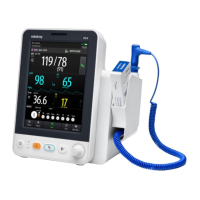
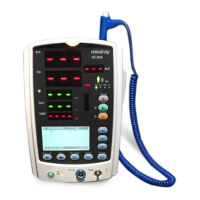
Mindray VS-900 - Service Manual

Mindray VS-900
122 pages
Print Icon
To Next Page IconTo Next Page
Loading...
VS-900
Vital Signs Monitor
Service Manual

Table of Contents

Other manuals for Mindray VS-900

Questions and Answers

  • A
    Andrew PerkinsJul 26, 2025
    How to fix Therm. battery low on Mindray VS-900?
    • R
      rollinsrachelJul 26, 2025
      If your Mindray Monitor displays 'Therm. battery low', it means the ear thermometer battery is low. You should replace the battery to resolve this issue.
  • B
    Bryan JonesJul 31, 2025
    What to do if Mindray VS-900 Monitor shows Therm. parameter error?
    • K
      Kara SalasJul 31, 2025
      If the Mindray Monitor shows a 'Therm. parameter error', it indicates that the ear thermometer isn't working correctly. To fix this, remove the thermometer battery, wait a minute, and then reinsert it. If the error persists, further assistance is needed.
  • J
    Jaime HahnAug 6, 2025
    Why does my Mindray VS-900 Monitor say Ambient temp out of range?
    • B
      brenda61Aug 6, 2025
      If your Mindray Monitor displays 'Ambient temp out of range', it means the environmental temperature is outside the range of 10°C to 40°C (50°F to 104°F). Allow the thermometer to sit for at least 30 minutes in a room with a temperature between 10°C and 40°C (50°F and 104°F).
  • K
    kurtmcintyreAug 12, 2025
    What to do if Mindray VS-900 says Therm. is not ready?
    • C
      Charles HensleyAug 12, 2025
      If your Mindray Monitor says 'Therm. is not ready', it means a measurement was taken before the ear thermometer was ready. Wait until all the icons stop flashing before taking a measurement.
  • B
    Brian FreemanAug 18, 2025
    Why does Mindray Monitor say Ambient temp changes fast?
    • P
      Peter SmithAug 19, 2025
      If the Mindray Monitor displays 'Ambient temp changes fast', it signifies that the environment's temperature is rapidly changing. To address this, use the thermometer in a place where the temperature is stable.

Summary

Preface

Manual Overview and Access

Covers manual purpose, audience, and access passwords.

Introduction

Manual Information and Safety

Covers manual details, safety warnings, and equipment symbols.

Theory of Operation

System Overview and Components

Describes monitor purpose, architecture, connectors, and main unit parts.

Equipment Installation

Preparation and Procedure

Guides on unpacking, site/environmental/electrical prep, and installation steps.

Testing and Maintenance

General Inspection and Module Tests

Covers intro, visual inspection, power-on, and module performance tests.

Troubleshooting

Problem Identification and Resolution

Covers common issues, causes, and step-by-step troubleshooting guides.

Disassembly and Repair

Tools, Preparations, and Main Unit Steps

Lists tools, preparations, and disassembly procedures for the main unit.

Parts Identification

Main Unit and Front Housing Parts

Lists parts of the main unit and touchscreen/non-touchscreen front housings.

Component Parts Lists

Rear Housing, Bracket, and Module Assemblies

Lists parts for rear housing, bracket, power management, connector panels, and various modules.

Hardware and Software Upgrade

Hardware Upgrade Procedures

Details how to upgrade hardware components like modules, touchscreen, and recorder.

Software Upgrade Process

Explains how to upgrade system and module software using the upgrade tool.

Electrical Safety Inspection

Inspection Procedures and Criteria

Covers power cord, enclosure, labeling, earth resistance, and leakage tests.

Mindray VS-900 Specifications

General IconGeneral
RESPImpedance Respiration
Display Size12.1 inch
ParametersECG, SpO2, NIBP, RESP, TEMP
ECG3-lead or 5-lead ECG monitoring
IBPOptional, up to 2 channels
CO2Optional, Sidestream or Mainstream CO2 monitoring
AGO2, N2O, CO2
ANESMultiple anesthetic agents
ConnectivityEthernet, USB
Power SupplyAC power and battery

Related product manuals