EasyManua.ls Logo

Mindray BeneVision N22 - User Manual

Mindray BeneVision N22
472 pages
Print Icon
To Next Page IconTo Next Page
Loading...
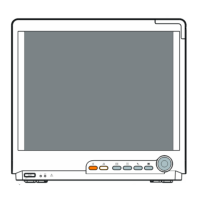
BeneVision N22/N19
Patient Monitor
Operators Manual

Table of Contents

Other manuals for Mindray BeneVision N22

Questions and Answers

  • S
    Susan CostaAug 22, 2025
    Why is my Mindray Monitor TM80 prone to offline occasionally?
    • B
      brandijimenezAug 22, 2025
      The TM80 may be prone to going offline occasionally on your Mindray monitor due to wireless signal interference or weak signals. Try placing the TM80 in the MPAN or Wi-Fi coverage area, checking for and reducing any interference sources. Weak signals can also cause this issue, so ensure the TM80 is in an area with strong signal strength and remove any metallic obstructions between the TM80 and the monitor. If the issue persists, it may be due to insufficient network bandwidth or greater network delay, in which case you should contact your service personnel.
  • A
    Andrew JohnstonAug 25, 2025
    What to do if my Mindray BeneVision N22 says 'Telemetry NIBP Disconnected'?
    • G
      Gilbert YorkAug 25, 2025
      If your Mindray monitor displays 'Telemetry NIBP Disconnected', the BP10 might be out of the MPAN coverage area, so put the BP10 in the MPAN coverage area. Alternatively, the BP10 may have been powered off, so power it on. Also, a satellite module rack might not be connected to the monitor properly, so replug the satellite module rack.
  • S
    sotosaraAug 27, 2025
    What to do if my Mindray Monitor BP10 is prone to offline occasionally?
    • R
      rebecca76Aug 27, 2025
      If the BP10 is prone to going offline occasionally on your Mindray monitor, it might be due to MPAN signal interference. Try placing the BP10 in the MPAN coverage area and check for any interference sources. Weak MPAN signals could also be the cause; ensure the BP10 is in an area with strong signal strength and remove any metallic obstructions between the BP10 and the monitor.
  • D
    Danielle NorrisAug 28, 2025
    What to do if my Mindray Monitor displays 'Device Not Found'?
    • A
      Amber FisherAug 28, 2025
      If your Mindray Monitor displays 'Device Not Found', it could be due to a few reasons. First, check that the satellite module rack is properly connected to the monitor by replugging it. Also, verify that the monitor is connected to the Wi-Fi network and that its wireless network settings are correct. Finally, confirm that the wireless network supports multicast data transfer, as this is required for the monitor and TM80 to communicate.
  • R
    rebeccaruizAug 29, 2025
    How to fix abnormal ECG waves and Pleth waveform on my Mindray BeneVision N22?
    • R
      Richard MartinezAug 29, 2025
      If you're seeing abnormal ECG waves and Pleth waveforms from the TM80 on your Mindray monitor after pairing, it could be due to wireless signal interference or weak wireless signals. Try placing the TM80 in the MPAN or Wi-Fi coverage area and check for any interference sources. If the signals are weak, move the TM80 to an area with strong signal strength and remove any metallic obstructions between it and the monitor. If the problem persists, there might be insufficient network bandwidth or a network delay, and you should contact your service personnel.
  • G
    gomezcandiceAug 31, 2025
    What to do if Mindray BeneVision N22 Monitor TM80 won't automatically switch to Wi-Fi?
    • J
      Jared MarshallAug 31, 2025
      If the TM80 isn't automatically switching to Wi-Fi when out of the MPAN coverage area on your Mindray monitor, verify that the TM80's wireless network settings are correct and that it's connected to the Wi-Fi network. Also, ensure that the monitor is connected to the Wi-Fi network and that its wireless network settings are correct.
  • R
    Roberto MooreSep 2, 2025
    What to do if my Mindray Monitor displays 'Telemetry Low Battery'?
    • G
      gilesarielSep 2, 2025
      If your Mindray monitor shows a 'Telemetry Low Battery' or 'Telemetry Battery Depleted' message, the battery charge is low. Replace it with a known good battery for the TM80.
  • Q
    qvasquezSep 3, 2025
    What to do if my Mindray BeneVision N22 displays 'Telemetry NIBP Low Battery'?
    • A
      Anna SanfordSep 3, 2025
      If your Mindray monitor displays 'Telemetry NIBP Low Battery' or 'Telemetry NIBP Battery Depleted', the battery charge is low. Replace it with a known good battery for the BP10.
  • P
    paul00Sep 5, 2025
    Why is my Mindray Monitor screen blank upon startup?
    • C
      cooperericSep 5, 2025
      A blank screen on your Mindray Monitor could be due to several reasons: * The AC cable might not be properly connected to the socket or the monitor. Check to ensure it is securely connected. * Try running the monitor on battery power. * If the above doesn't work, remove the AC power, wait 5 seconds, then press and hold the power button for 15 seconds. If the battery is available, try pressing the power button again.
  • D
    Danielle WellsSep 7, 2025
    What to do if Mindray BeneVision N22 is failing to power on/off?
    • L
      lindsay17Sep 7, 2025
      If your Mindray Monitor is experiencing power on/off failures, consider the following possible causes and solutions: * Ensure the AC mains are properly connected and that the battery capacity is sufficient and not damaged. * Verify that the cables connecting the power switch and LED board to the front housing interface board, the cable connecting the front housing interface board to the coaxial cable of main control, and the cable connecting the power module to the DCDC board are properly connected. * If the above steps don't resolve the issue, the power switch & LED board, power module, or motherboard may be defective and require replacement.

Mindray BeneVision N22 Specifications

General IconGeneral
BrandMindray
ModelBeneVision N22
CategoryMonitor
LanguageEnglish

Related product manuals