103
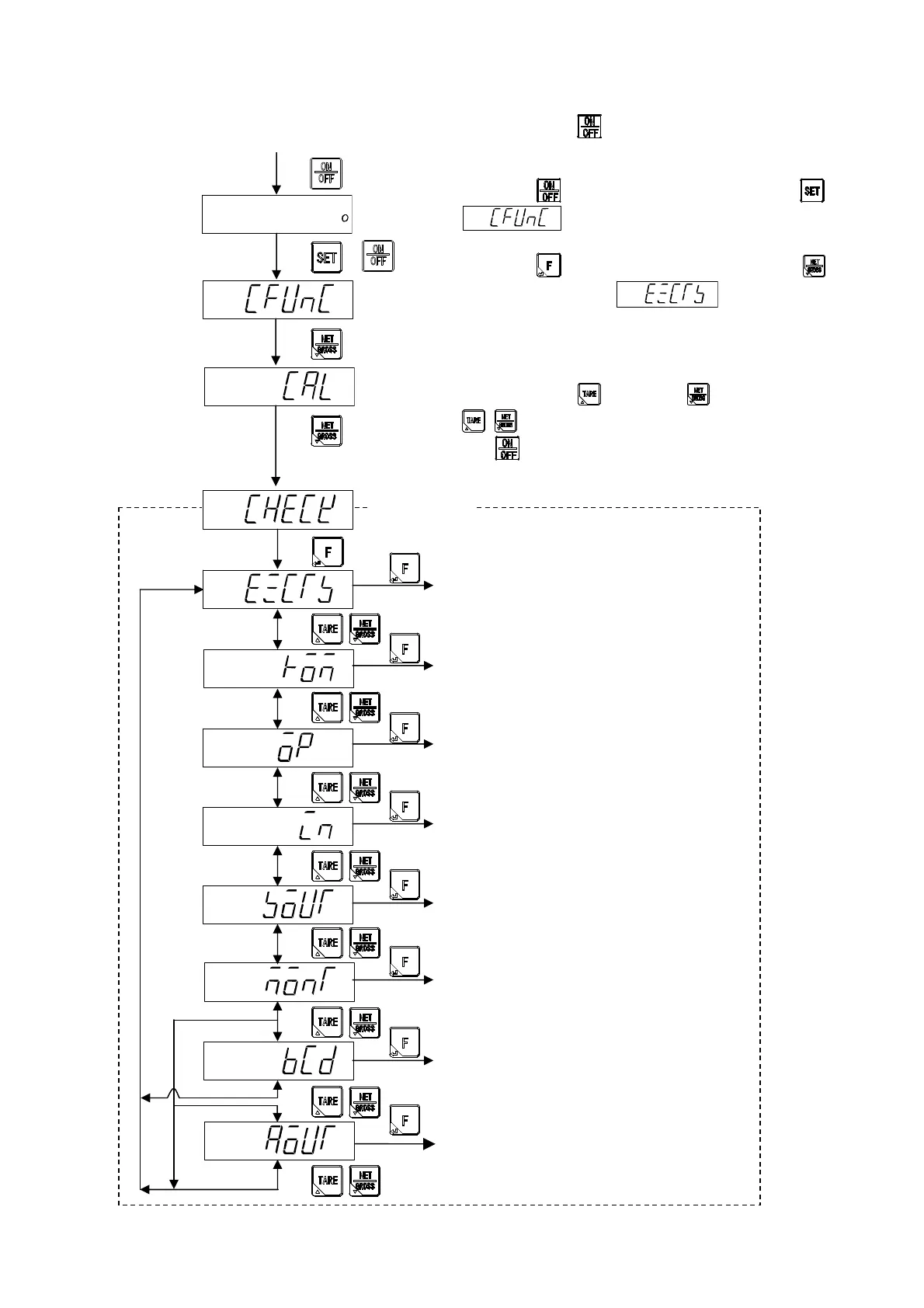
12-1. Setting method of Check mode
By pressing the key from the normal measurement
mode, it enters into the stand-by condition.
When the key is pressed with pressing the key,
is displayed.
When the key is pressed after pressing the key.
The display becomes , and enters into the
check mode.
In the check mode, if it is either of display section as the
following, the confirmation item can be switched by the
operation of the key or the key.
: Changeover of the check mode item
: Quit from the check mode
Measurement mode
+
12-3. Confirmation of ROM version
12-6. Confirmation of external control output
12-7. Confirmation of load cell output voltage
12-8. Confirmation of BCD output
(When BCD output is applied.)
12-9. Confirmation of analog output
(When the analog output is applied.)
12-4. Confirmation of options
12-5. Confirmation of external control input
12-2. Confirmation of EzCTS mode
Check mode



 To Next Page