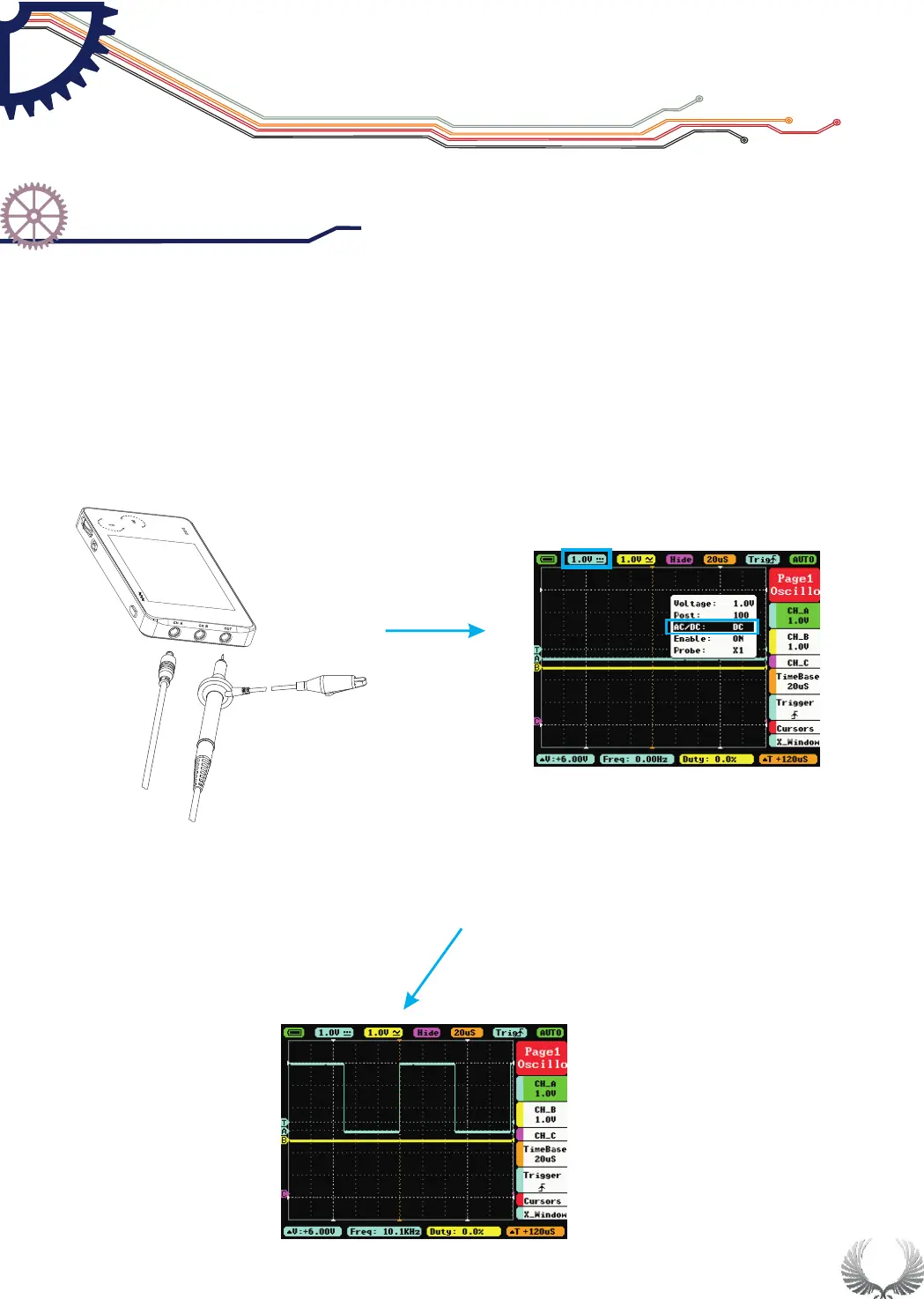
Adjust relevant parameters of CH A:
1. Adjust the DC mode in AC/DC function in CH A
2. Voltage adjustment:Switch Voltage to 1V
9
Measure WAVE OUT outlet waveform
Getting Star ted
Check up before use
Chapter 3
Connect probes to both the MCX and
CH A input jacks
Make a quick inspection of functions to ensure the device is working soundly.
Please perform following steps:
Turn on power and access the homepage of the mini oscilloscope.
Place in the standard signal (e.g. square wave 1 KHz, Vpp=3V), insert X1
probe’s MCX end to CH A or CH B, and the probe to “OUT”. Check if the
measurement value and the standard value are equal, calibrate if different.
See below for detailed instructions:
●
●


 To Next Page