12
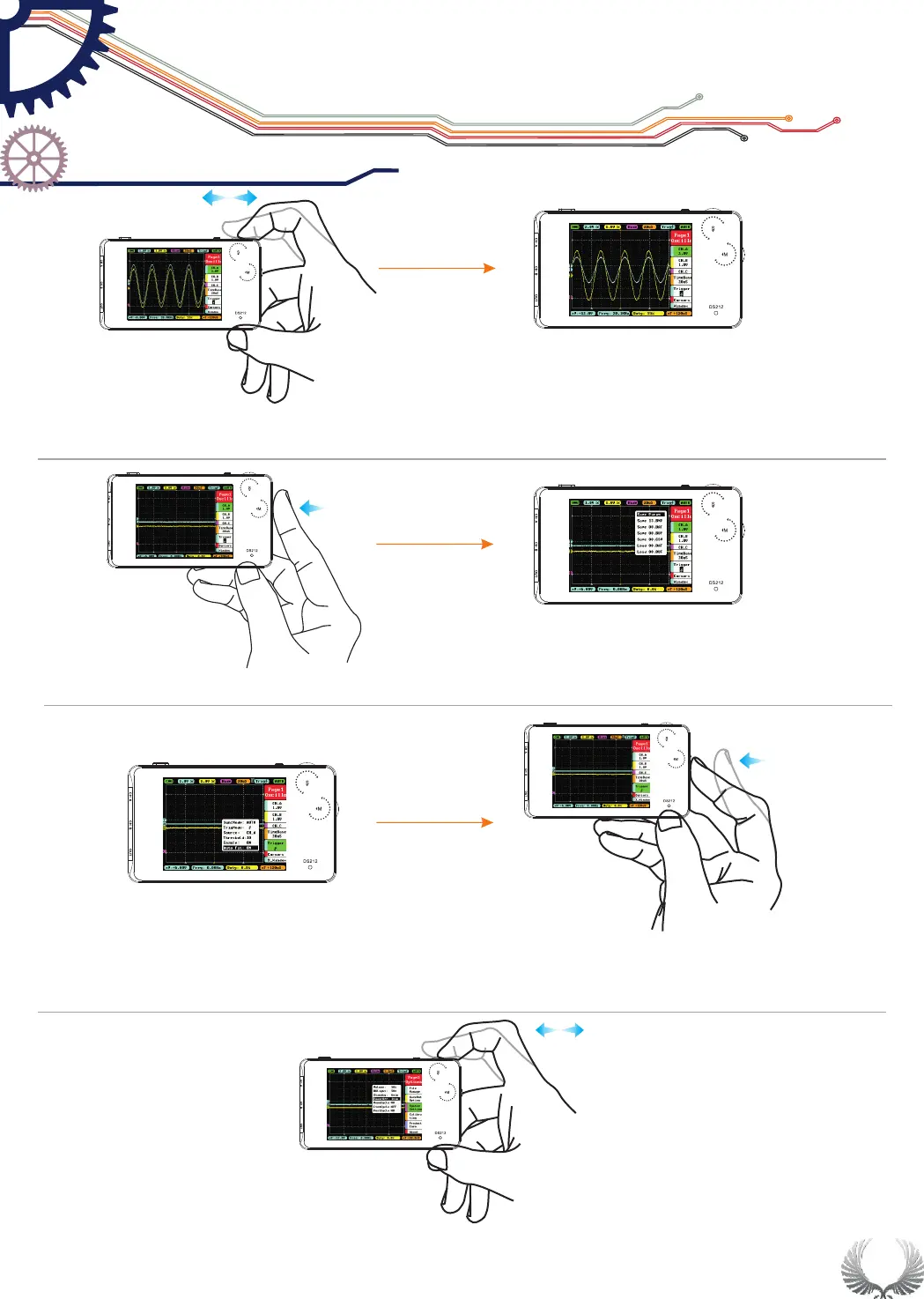
In main menu/sub-menu, hold Wheel M middle button to show/hide
sub-menu of file managerment
Enter "Trigger" in "Page 1" of main menu, set "Auto Fit" to "ON", double click
Wheel M middle button, DS212 will automcatically calibrate amplitude, time
base and trigger.
In main menu/sub-menu, dial left/right Wheel S to increase/decrease the setting
parameters.(When adjusting parameters of "Post" in sub-menu, hold Wheel S
middle button can fast adjust readings)
x2
Enter "system setting" of "Page 3" under main menu, choose "Power off",
and dial Wheel S left/right to choose the time setting of auto power off.
If charging via USB, auto power off will not be activated.
"Auto Fit" setting
Adjust menu
parameters
Auto-off setting
Getting Star ted
Operation Introduction
Chapter 3
Show/Hide
sub-menu of file
managerment
shortcut


 To Next Page