4
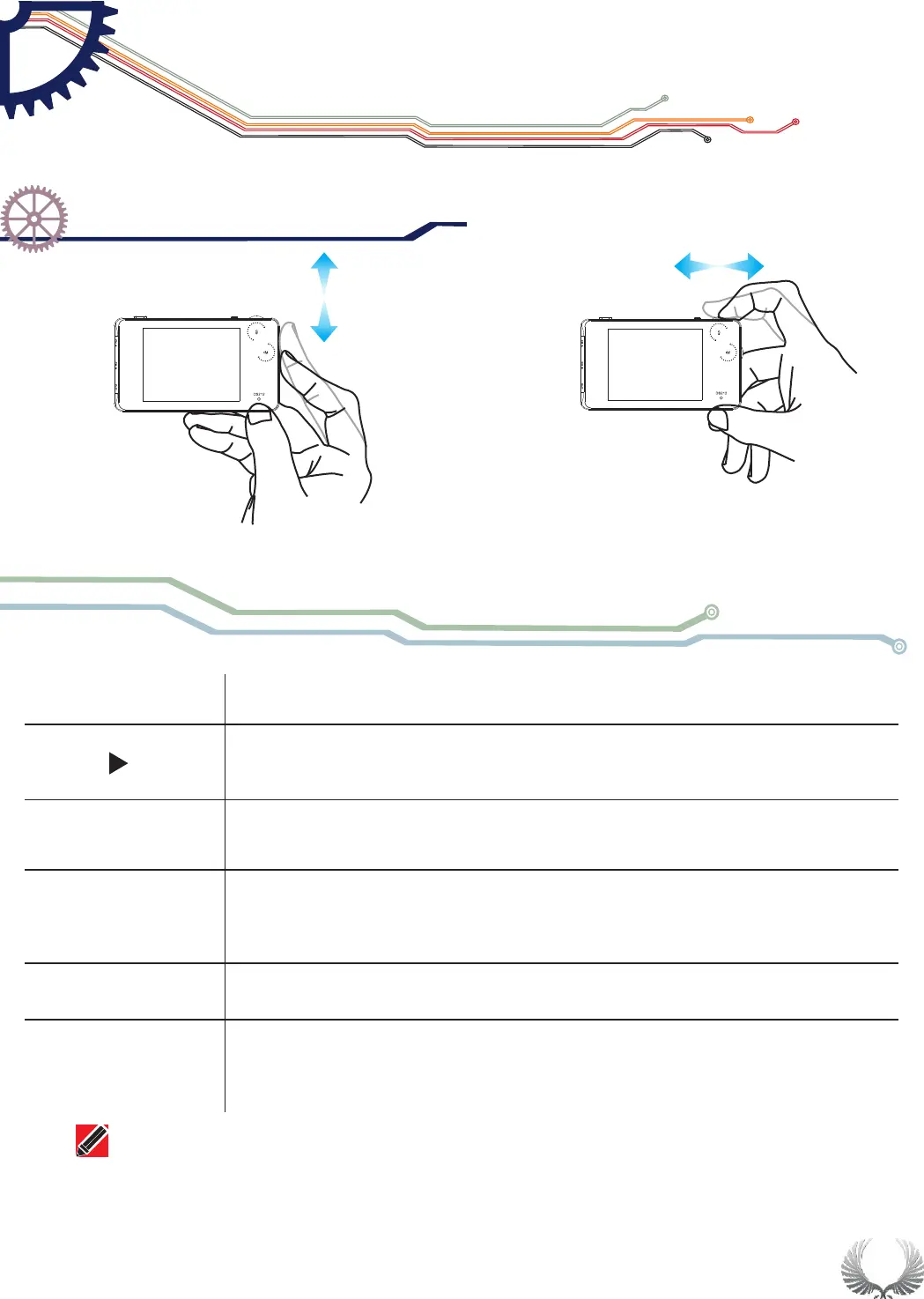
(Dial Up/Down) Choose up/down
Dial left/right to increase/decrease the setting parameters
Wheel M
middle button
Wheel S
middle button
1)Click:Sub-menu On/Off
2)long press:Enter file management
3)Double click:When "Auto Fit" is ON, auto adjustment
||
1)Click:Switch Menu/Confirm sub-menu
2)long press:Menu display/hide
1)Click:
2)long press:Save current parameter/screen display
Run/Pause
Wheel M
Wheel S
Dial Left/Right
Dial Up/Down
Chapter 1
DS212 Over view
Operation on option area
Button Function
Note that each item's color in Parameter Area is the same as that in Measurement Area.


 To Next Page