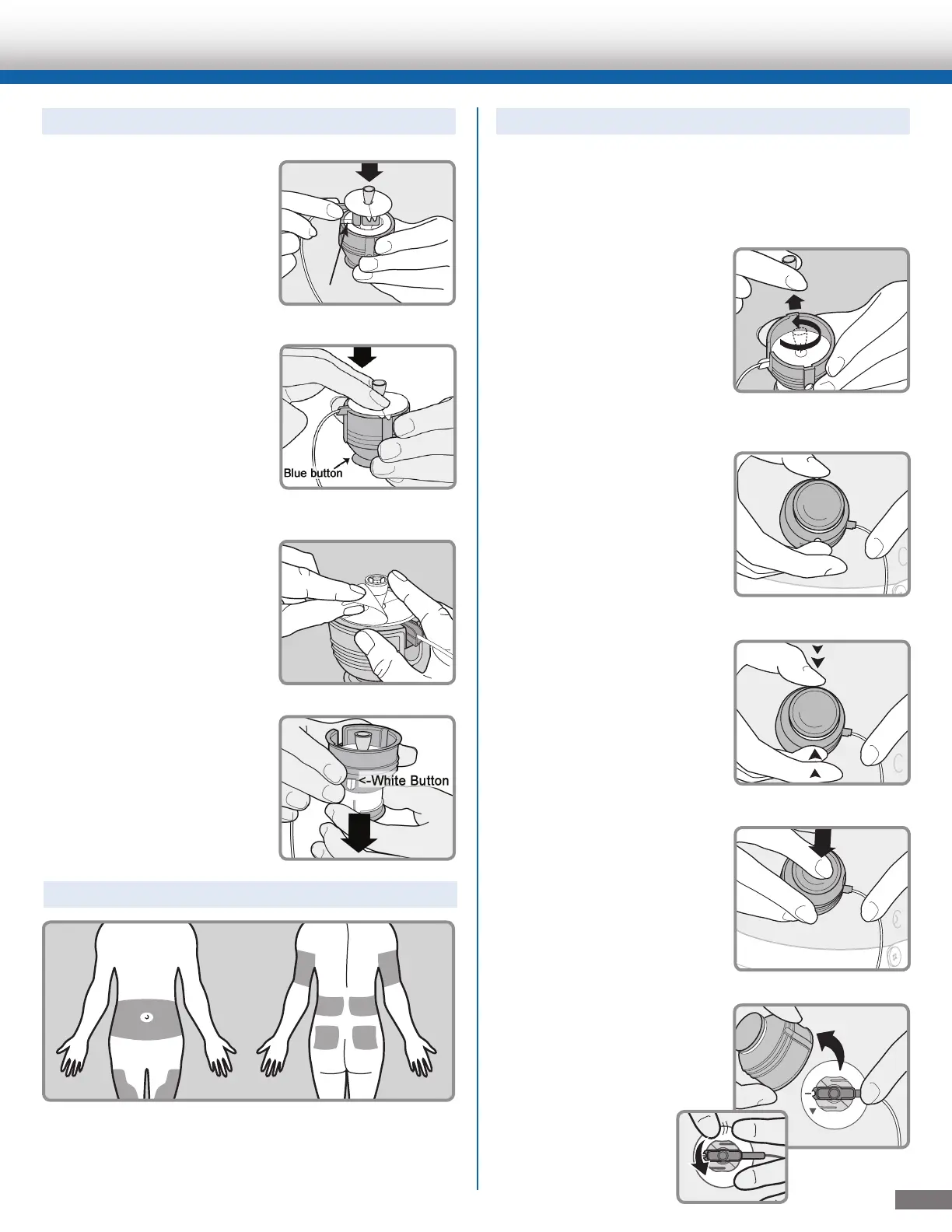
Changing the MiniMed® Quick-set® Infusion Set for the MiniMed® 530G Insulin Pump
To Load the Quick-set
®
into the Insertion Device:
1. Place the blue hub of
the Quick-set into the
Quick-serter insertion
device. The hub handle
and tubing should be
lined up with the tubing
slot on the Quick-serter.
2. Use two fingers to seat
the Quick-set inside the
serter securely. Do not
push the Quick-set all the
way down. Be careful not
to press the blue button
or the Quick-set will not
lock inside the serter.
3. Peel the paper from the
adhesive.
4.
Pull the blue button down
until you hear it click. Be
careful not to press the
white buttons on either
side of the serter.
The best areas of the body to insert the infusion set
are shown in the shaded areas of this drawing. Follow
your healthcare provider’s instructions on where to
insert your infusion sets.
1. Wipe the selected insertion site with alcohol or
other antiseptic wipe.
2. Turn the needle guard to
loosen it and lift it away
to expose the needle.
3. Hold the serter against
the prepared site on your
body.
4. Press the two white
buttons at the same time.
If they are not pressed at
the same time the
Quick-set will not
insert properly.
5. Press down the blue
button of the serter
to release the Quick-set.
6. Pull serter away from
your body. Press the
adhesive securely against
your skin.
Choose Your Insertion Site:
To Insert the Quick-set
®
Infusion Set:
3



 To Next Page