26
27
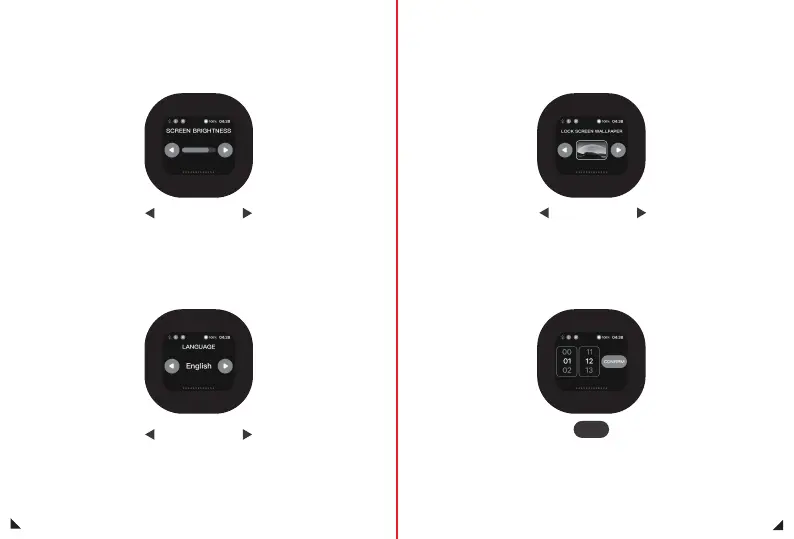
Click the left button to decrease the screen brightness;
Click the button on the right to increase screen brightness;
Light Level interface
Click to switch languages from different countries
Language switch interface
Click to switch between different lock screen wallpapers,
the current screen is the selected lock screen wallpaper
Screen lock interface
Automatic update: When the charging case, headphones,
and phone are connected, the time on the phone will be automatically
updated to the charging case
Manual update: Click the button to enter manual settings
Time setting interface
Setup


 To Next Page