28
29
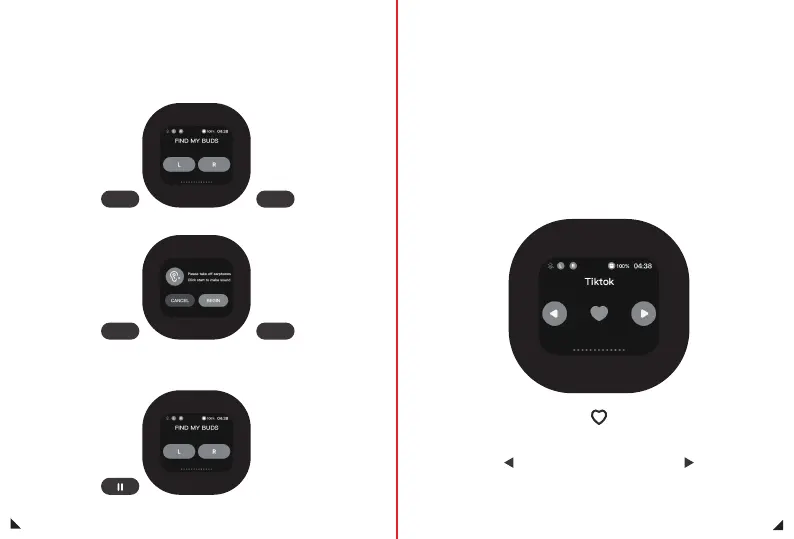
Click the L/R button, and the number screen will appear
Find My Earphone interface
Needs to be connected to a Bluetooth device such as a cell phone
1.This function is only available for use with TIKTOK software,
and other software may not be able to use it.
2.This feature may have compatibility issues with some phones,
and some phones may not be able to use it.
3.If there are situations where it cannot be used,
please ignore this feature.
6KMVQM2CIGƃKRRKPI
and like function
Click to cancel and exit this function,
Click to start, the number Ύ screen will appear,
and the headphone speaker will start emitting sound
Ύ
Click the stop button to stop speaking
RL
CANCEL BEGIN
Clicking on this icon will
switch to the previous short video
Clicking on this icon will
switch to the next short video
Click this icon, the current short video will be liked


 To Next Page