10
1.2
Button Function Description
Function Description
Power Press for 3 seconds to power on or off.
OK | Zoom Out
In Settings: Tap to enter menus and confirm selected
setting.
In Video or Photo: Press and hold to zoom out.
Tap to play and pause recorded videos.
Zoom In In Video or Photo: Press and hold to zoom in.
Mode Tap to cycle between Photo, Video and Playback modes.
Menu Tap to access the setting menus.
Up | LED Light
In Video or Photo: Press to turn the LED light On and
Off.
In Playback: Press to go to the previous image.
Press to select desired setting.
Down | Delete |
Record Audio
In Video or Photo: Press to turn audio recording on and
off.
In Playback: Press to go to the next image. Press and
hold to access the delete menu for the current file.
Press to select desired setting.
Shutter
In Photo: Tap to capture a photo.
Tap to start and stop recording.
Switch Screen Switches the LCD screen that is powered on.
Tripod Mount Mount port for attaching to a tripod nut.
Battery Door
Door to cover the battery compartment and memory card
Speaker
Built-in speaker output for playback of video files when
audio recording is enabled.
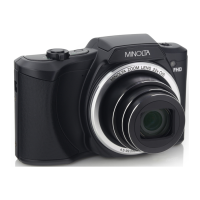
Lens Front capture device for all video and photo.



 To Next Page