Need help?
Do you have a question about the Mio Cyclo 505 series and is the answer not in the manual?
Explains typographical conventions like bold and italics for manual readability.
States model availability, product variations, and copyright ownership.
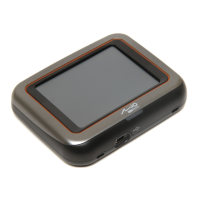
Details the components of the main device unit with numbered parts.
Lists and illustrates the accessories that come with the device.
Instructions on how to charge the device's internal battery before first use.
Guides through mounting, powering on, and personalizing the device.
Explains how to connect the device to a computer for data transfer or charging.
Details how to securely attach the device to the bike using the mount kit.
Provides instructions for installing cadence/speed sensors and the heart rate monitor.
Describes how to use the power button and basic touch interactions for device operation.
Details automatic screen locking and power off features and their settings.
Guides through using the wizard to find and select destinations for navigation.
Explains various methods to search for and select destinations for navigation.
Describes the feature that generates up to three exciting routes around your location.
Covers managing tracks, stopping navigation, and returning to the starting point.
Allows setting specific goals for distance, time, or calories during workouts.
Enables workouts based on heart rate or power zones for targeted training.
Shows how to view recorded trip and training session statistics.
Introduces MioShare utility for device management and file transfer.
Explains how to share routes with friends using ANT-FS technology.
Explains how to create and manage user profiles and set routing preferences.
Guides on customizing dashboard screens and configuring sensor detection.
Covers defining training zones, setting alerts, and configuring map options.
Covers system settings like units, screen brightness, language, and date/time.
Provides solutions for common problems and advice on device maintenance.
Details safety warnings, GPS functionality, and IPX7 water resistance.
Includes regulatory compliance, Bluetooth details, and end-user license agreement.


 To Next Page
 General