Need help?
Do you have a question about the Mio DigiWalker C220 and is the answer not in the manual?
Covers operating controls while driving, using as a navigation aid, and following traffic rules.
Explains GPS system dependency and factors affecting signal reception.
Details proper placement of the device holder to avoid obstructing view or airbag deployment.
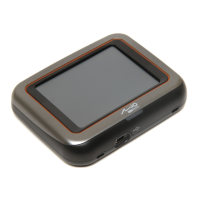
Describes front components like the touch screen and charge indicator.
Details the speaker, SD/MMC slot, and headphone connector.
Covers the external antenna connector and mini-USB connector.
Guides through first-time power-on, language selection, and date/time settings.
Explains the Home screen layout and navigation options like Settings and MioMap.
Instructions on using the device holder and connecting the car charger.
Advises on charging and covers powering on/off and screen interaction.
Instructions for inserting and removing memory cards, plus storage advice.
Describes how to enter and leave the main settings menu.
How to change the screen brightness using the track bar.
How to control the device's sound volume using the track bar.
Procedure to calibrate the touch screen for accurate input.
Checking battery status and setting automatic power-off timers.
Instructions for adjusting the time zone, date, and time.
Steps to select and confirm a new display language.
How to restart or properly shut down the device.
Addresses power, screen response, freezing, and connection problems.
Solutions for when no valid GPS signals are available.
Guidelines for avoiding moisture, extreme temperatures, and sunlight.
Instructions on cleaning, warnings against modifications, and storing flammable items.
Details the Class B digital device compliance with FCC rules in the USA.
Compliance with Canada's Radio Interference Regulations for Class B devices.
Lists EU directives (R&TTE, EMC, Low Voltage) and standards for CE compliance.
Covers risks of prolonged loud listening and safe usage of the car charger.
Cautions regarding the non-replaceable Lithium Ion battery, including risks and proper handling.


 To Next Page
 General