4 5
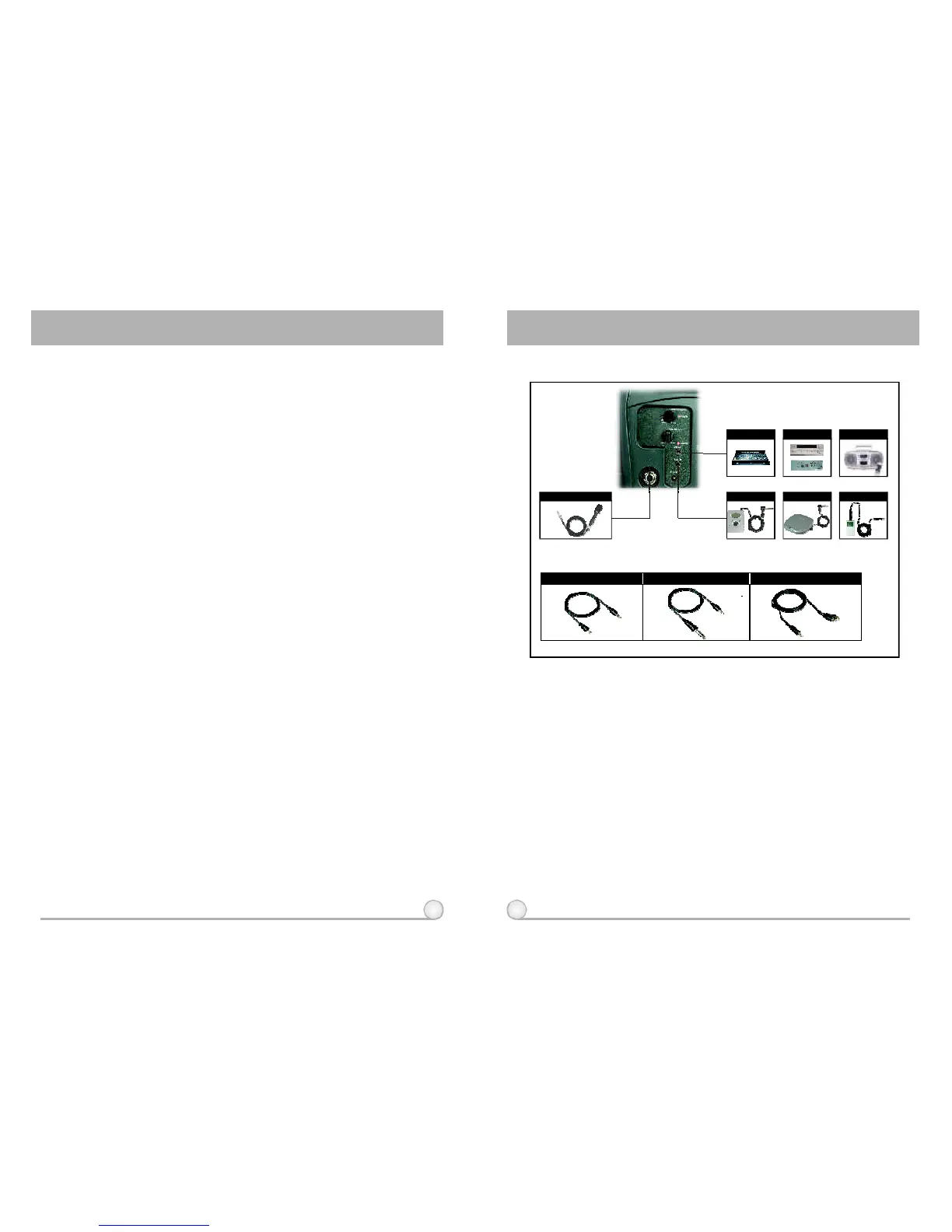
I-PODCDPLAYERMP3PLAYER
LINEOUT
LINEINMICIN
AVAILABLECABLEFROMMIPRO:
Cableno:2FA031
CableMic.(6.3Connector)φ
AmplifierMixer
CassetteRecorder
MIPRONO:2FA071
6.3 φ
3.5φ
3.5φ 3.5 φ
3.5φ
RCA
MIPRONO:2FA072 MIPRONO:2FA073
(3)AuxiliaryIn
a)Connectaline-levelsource,suchasportablecassette/CD/MP3playerintothe
Auxinputjack(9).
b)TurnonthePAsystem(4)andadjustvolumeasdesired.
(4)Installation
(6)AFOutput
(5)WiredMicrophoneInstructions
a)HandCarrying:Removetheshoulderbelt(12)andstoreintheBattery
Compartment(13)directlyabovethebattery.UsetheFixedHandlefor
transport.
b)ShoulderCarrying:Removetheshoulderbelt(12)fromtheBattery
Compartment(13)andhooktheconnectoraroundtherodontopoftheunit,
betweentheFixedHandleandtheSpeaker.
c)MicStandMounting:TheMA-101willfitdirectlyontopofamicstandusing
thethreadedmount(14)withnoadditionalhardware.Simplyalignthehole
withtheprotrudingendofthemicstandandthreaditonthestand.
AllowstheusertoconnecttheMA-101toanexternalamplifierwithhigh
poweroutput.ConnecttotheMicInputorLineInputontheamplifier.Usethe
PowerSwitch/VolumeControl(4)tocontrolthevolumelevel.
a)TurnonPowerSwitch/VolumeControl(4).Redlight(5)shouldilluminate.
b)PlugawiredmicrophoneintotheMicInJack(3).TurnontheWired
MicrophoneVolumeControl(6).
c)Turnclockwisefordesiredloudness(6).
d)TheMA-101allowssimultaneoususageofbothwiredandwireless
microphones.
3. CONNECTIONTOEXTERNALAUDIOSOURCES:
WirelessPortablePAAmplifierWirelessPortablePAAmplifier



 To Next Page