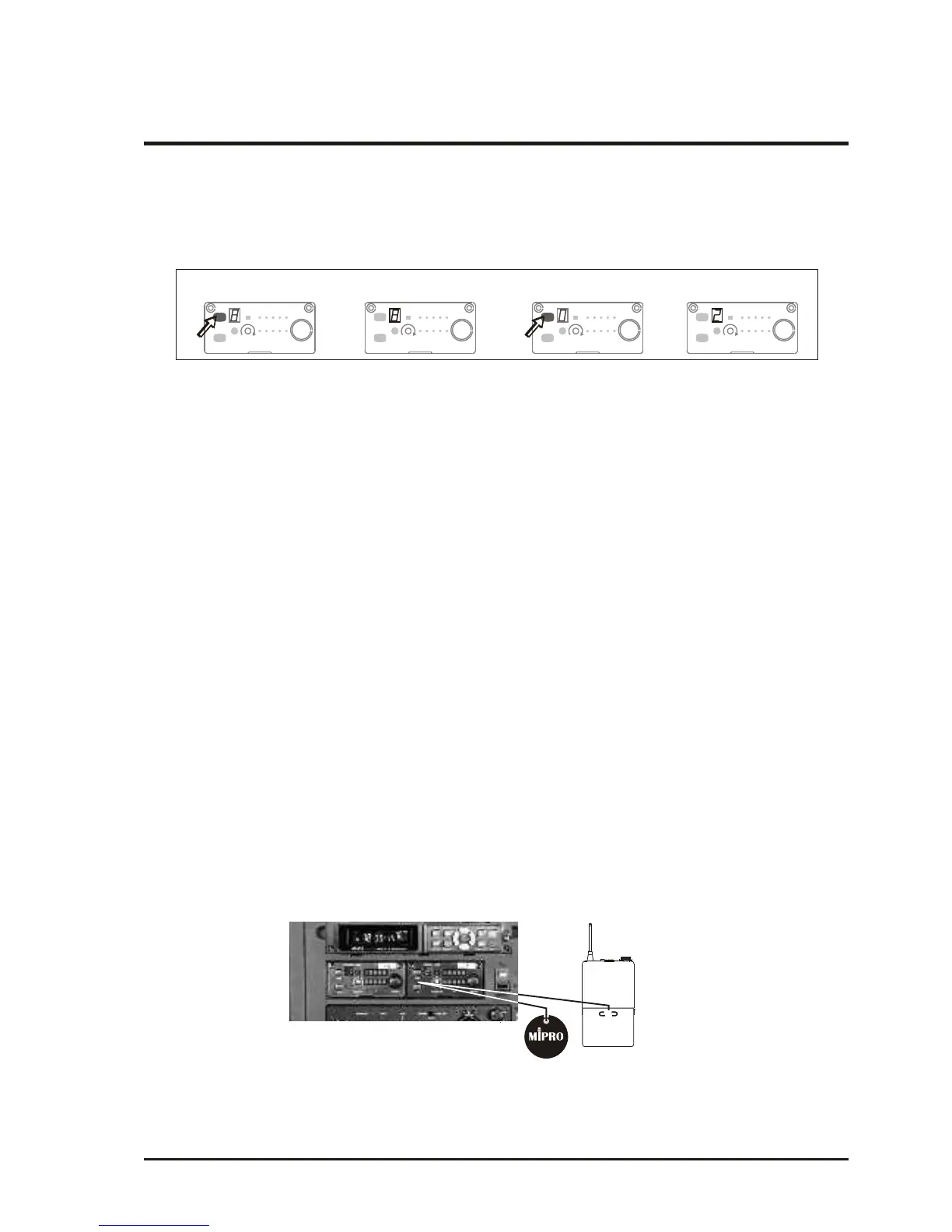
(b) Manual Frequency Set-up: Holding down the SCAN button (B5) for 1 second.
Release the button when numeric LED (B6) flashes. It will flash a total of 6
times. To select any of the 16 frequencies in orderly format, press the SCAN
button and hold until the desired frequency is selected. This frequency will
automatically be saved/locked.
3. Change channel when:
(a) When multiple channels are utilized do not change channel to avoid exiting
channel interference.
(b) When numeric knob reaches "_" it indicates an empty channel. Proceed until
a numeric number appears.
4. Caution while changing channels:
(a) Existing channel is being interfered or channel is malfunction.
(b) Select channel for multiple non-interference usage.
a)
b)
c) d)
Press "SCAN" button and hold,
frequency will change every two flashes.
When done it will auto saved/locked.
LED display flashes.
Press and hold "SCAN" button
for 1 second.
SCAN
SENSITIVITY
+
NOISE
AF
RF
CHANNEL
ACT
-
VOLUME
SCAN
SENSITIVITY
+
NOISE
AF
RF
CHANNEL
ACT
-
VOLUME
SCAN
SENSITIVITY
+
NOISE
AF
RF
CHANNEL
ACT
-
VOLUME
SCAN
SENSITIVITY
+
NOISE
AF
RF
CHANNEL
ACT
-
VOLUME
Operating Manual
WIRELESS AMPLIFIER
1. Press "ACT" button (A4) on the front panel of the receiver once and the channel
indicator will start sparking which means it is in "ACT" mode.
2. While holding the transmitter about 30 cm away from the receiver, point the
"ACT" marking on the transmitter at the "ACT" button (A4) on the receiver, as
illustrated in diagram below.
3. Once the frequencies are synchronized and locked, the "ACT" function will
disengage.
- 11 -
(3) ACT button operation of wireless receiver module:
ACT



 To Next Page