NV8500 family Digital Routers • User’s Guide 33
1. Introduction
Front Module Slots and Rear Connections
connection is used. For example, to connect to the Miranda NV9000 control system an Ethernet
connection is preferred.
Serial Control Connections
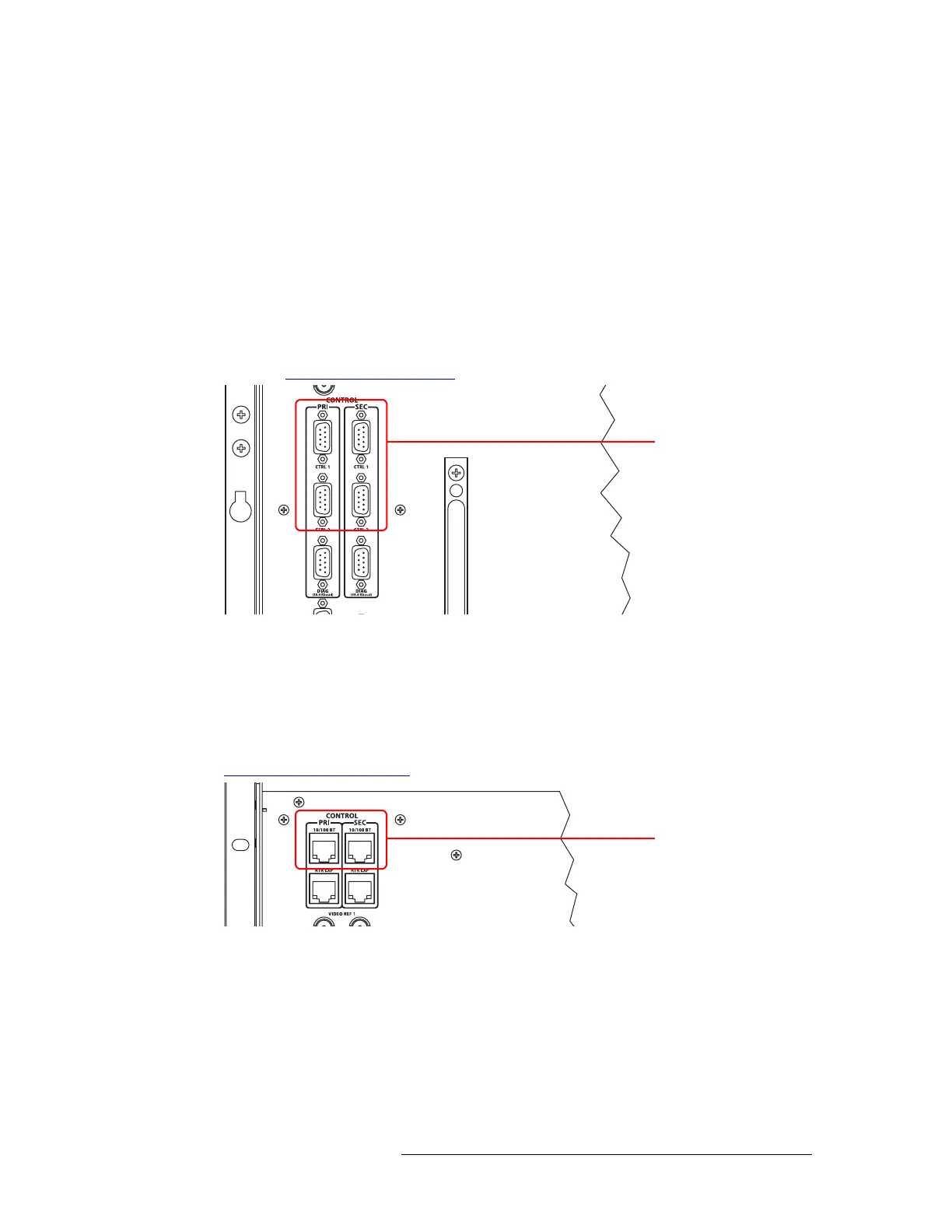
The NV8500 family routers have four serial ports, as shown in Figure 1-24. The ports are divided
into two sets, one primary control (‘PRI’) and one secondary control (‘SEC’). Primary control is
the connection to the primary control card. Secondary control is the connection to the secondary
control card (which is optional for redundancy). Each set is further divided into connections that
correspond to router control systems: ‘CTRL 1’ corresponds to the primary control system and
‘CTRL 2’ corresponds to an alternate control system. Using ‘CTRL 2’ connections you can connect
to an alternate control system (i.e., backup system) or set up dual control. For installation instruc-
tions, see Serial Control Connections
on page 70.
Figure 1-24. Serial Control Connections (Rear View)
Ethernet Control Connections
The router has two Ethernet ports, labeled ‘10/100BT’, as shown in Figure 1-25. These ports are
also divided into two sets, one primary (‘PRI’) and one secondary (‘SEC’). The primary port con-
nects an NV9000 router control system to the primary control card. The secondary port connects an
NV9000 router control system to the secondary control card. For installation instructions, see
Ethernet Control Connections
on page 72.
Figure 1-25. Ethernet Control Connections (Rear View)
Serial Connections to
Control System
Ethernet Connections to
Control System



 To Next Page