NV8500 family Digital Routers • User’s Guide 51
2. Installation
Installing Backplanes
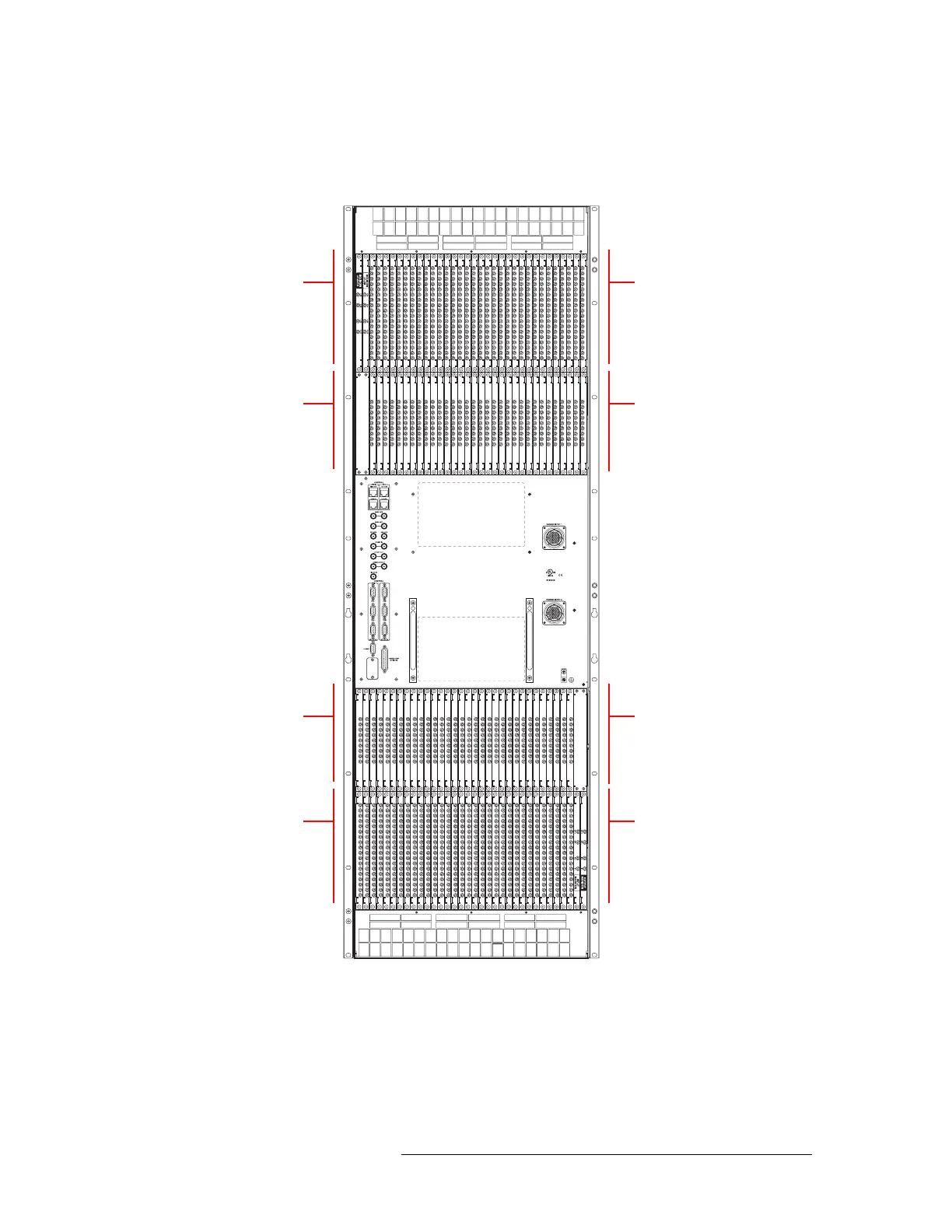
Figure 2-1, shows the backplane locations at the rear of an NV8576 router. For the NV8576-Plus,
the backplane location is identical, but the output backplanes have unique connectors for connect-
ing to a second NV8576-Plus router frame.
Figure 2-1. NV8576 Frame with Backplanes (Rear View)
Monitor
Backplanes (2)
Control card area
(no backplanes)
Output
Backplanes (32)
Input
Backplanes (32)
Unused
Monitor
Backplanes (2)
Input
Backplanes (32)
Output
Backplanes (32)



 To Next Page