11
OPERATING THE REMOTE CONTROL
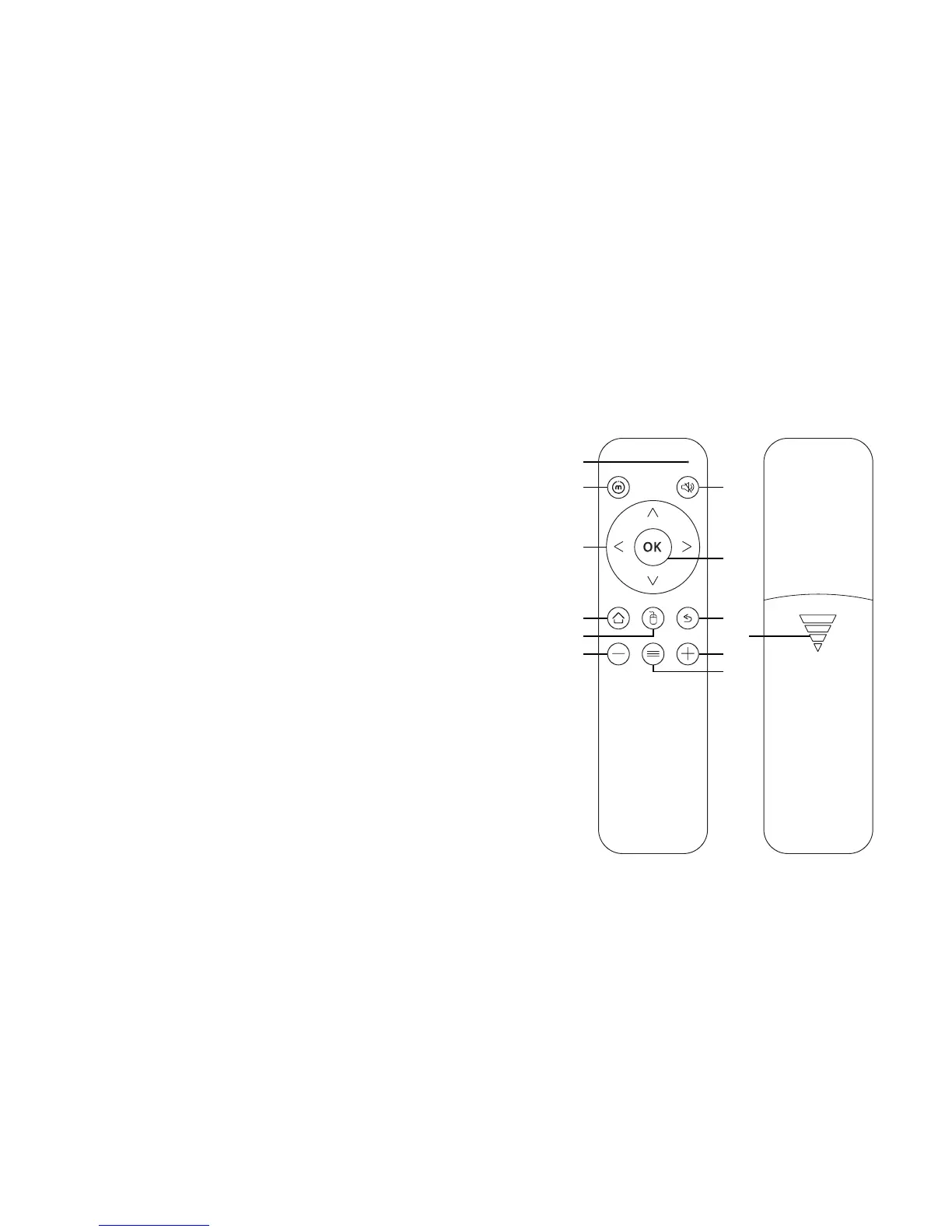
conTrols and buTTons
A. [Status light]
Displays remote usage information
B. [ECO Power] Turn ECO power mode on/off
C. [Up] or [Down], Move up or down; [Left] or
[Right] Move left or right
D. [Home] Return to the Miroir home screen
E. [Mouse] Use the remote as a mouse
F. [Volume down] Decrease volume
G. [Mute] Mute audio
H. [OK] Select a menu option
I. [Back] Return to the previous screen
J. [Battery door]
K. [Volume up] Increase volume
L. [Input]
Launches the input selection pop up menu
B G
I
J
K
L
H
D
F
E
C
A



 To Next Page