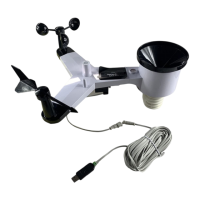
1. Inventory of contents
1) Base station
2) One WH2 remote sensor with mounting bracket
3) Instruction manual
2. Feature
1) Wireless outdoor and indoor humidity (%RH)
2) Wireless outdoor and indoor temperature (°F or °C)
3) Records min. and max. humidity
4) Records min. and max. temperature
5) Barometric pressure 24-hour history graph (inHg or hPa)
6) Weather forecast tendency arrow
7) Forecast icons based on changing barometric pressure
8) Time and date with manual setting
9) 12 or 24-hour time display
10) Perpetual calendar
11) Time alarm with snooze
12) Can receive one sensor
13) LED backlight
14) Wall hanging or free standing
15) Included transmitter WH2
16) Synchronized instant reception
3. Set up Guide
3.1 Battery install
Note: To avoid operating problems, please take note of battery polarity before/when inserting any
Alkaline Batteries (permanent damaged could be introduced by inserting the battery in wrong
direction). Use good quality Alkaline Batteries and avoid rechargeable batteries.
1) Insert two AAA batteries into the remote sensor
2) Insert three AA batteries into the weather station.
3) Wait 3 minutes or until the outdoor temperature is displayed in the weather station. Do not press any
keys before outdoor sensor data received.
4) Mount the units, ensuring that the receiver can still pick up the signal from the transmitter. To
measure outdoor temperature, place the transmitter outdoors. It will transmit the temperature from its
location.
Every time the remote sensor is powered up (for example after a change of batteries), a random security
code is transmitted and this code must be synchronized with the base station to receive weather data.
Thus if battery change happened on transmitter side, then the receiver must be power up again to
re-learn the transmitter.
After the remote sensor is powered up, the sensor will transmit weather data every 8s for 6 times. After this
learning period is over, then the transmitter will transmit every 48s.
When the base station is powered up, a short beep will sound and all LCD segments will light up for about
3 seconds before it enters into learning mode to learn the sensors security code.
Note: DO NOT PRESS ANY KEY during the first 3 minutes learning period. After both indoor and
outdoor data are displayed you can place your remote sensor outdoors and set your time. If there is no
temperature reading in the indoor station, make sure the units are within range of each other or repeat
the battery installation procedure. If a key is pressed before the weather station receives the temperature
signal, you will need to follow the battery installation procedure again. Please wait 10seconds before
re-insert the battery again to make a proper reset for both transmitter and receiver.
Note:
Please participate in the preservation of the environment by properly disposing of all used-up
batteries and accumulators at designated disposal points. Never dispose of batteries in a fire as this
may cause explosion, risk of fire or leakage of dangerous chemicals and fumes



 To Next Page