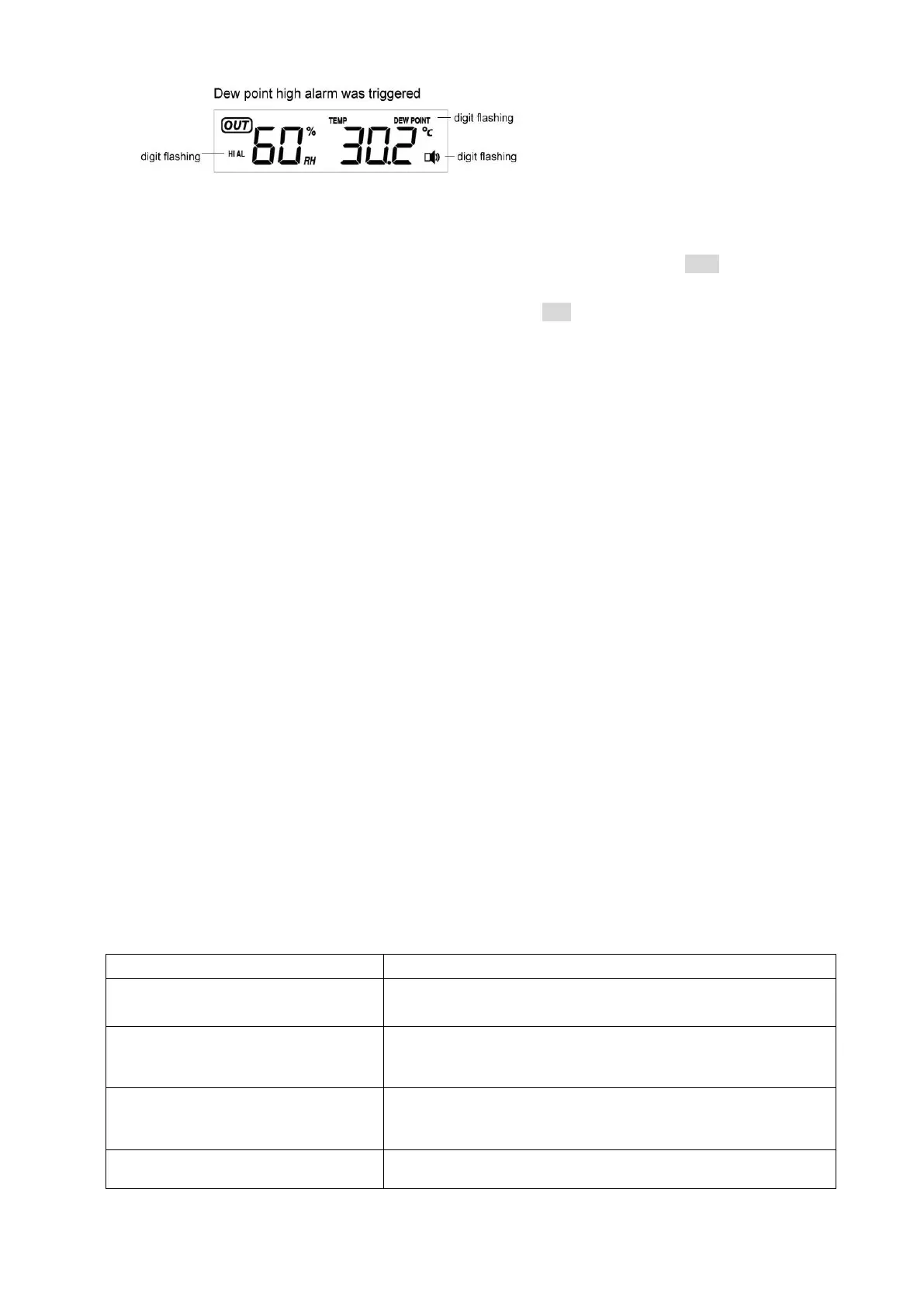
5.4 Min/Max Mode
- While in Normal Mode, press the MIN/MAX key to enter the maximum mode, MAX logo and the
general Max record will be displayed.
- Press MIN/MAX key again to enter the minimum mode, MIN icon and minimum record will be
displayed
- Press MIN/MAX key again to return the Normal Mode
- In the maximum reading Mode, press the + key to display the following maximum values together
with the time and date time stamp at which these values were recorded, if press SET key for 2 seconds
in the following individual maximum value will be reset to current reading:
1. Indoor humidity maximum
2. Indoor temperature maximum
3. Outdoor humidity maximum
4. Outdoor temperature maximum
5. Outdoor dewpoint maximum
6. Pressure maximum
- In the minimum reading Mode, press the + key to display the following minimum values together with
the time and date at which these values were recorded, if press SET key for 2 seconds in the following
individual minimum value will be reset to current reading:
1. Indoor humidity minimum
2. Indoor temperature minimum
3. Outdoor humidity minimum
4. Outdoor temperature minimum
5. Outdoor dewpoint minimum
6. Pressure minimum
- Press the SNOOZE/LIGHT key or key idle 10 second, the Min/Max mode will return to Normal Mode
6. Problems and interference with operation
Distance between transmitters and
receiver too long
Reduce distance between transmitters and receiver to receive
signal
High shielding materials between the
units (thick walls, steel, concrete,
isolating aluminum foil and etc.)
Find a different location for sensors and/or receiver. See also
item „transmission range‟ below
Interference from other sources (e.g.
wireless radio, headset, speaker, etc.
operating on the same frequency)
Find a different location for the sensors and/or base station.
Neighbors using electrical devices operation on the same signal
frequency can also cause interference with reception
No reception after adding extension
cables
Find a new location for the sensors and/or base station.



 To Next Page