14
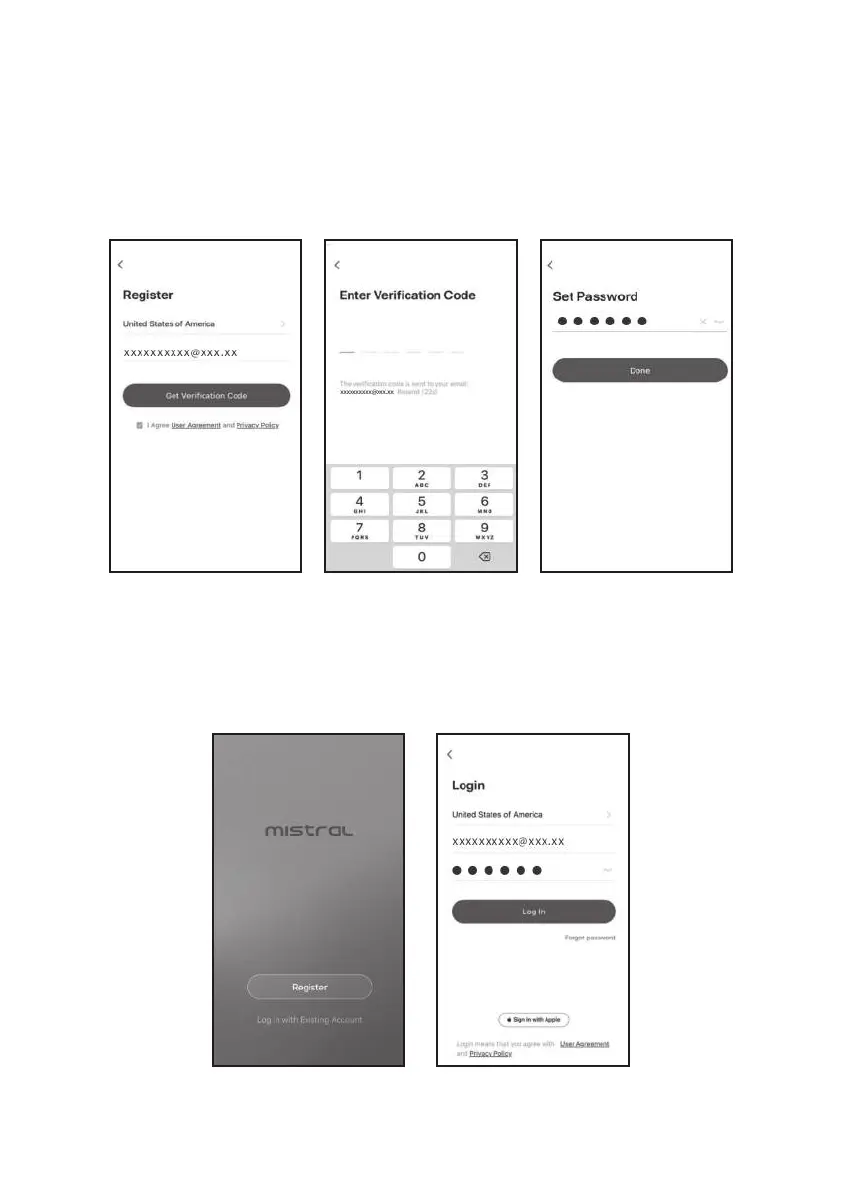
Registration
4.
5.
6.
7.
8.
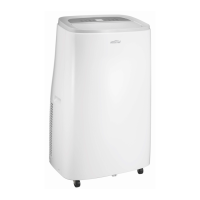
Log in
1.
2.
3.
Enter your E-mail address.
Tap the button "Get Verication Code".
Enter the verication code you received from E-mail.
Set the Password with 6-20 characters including characters and numbers.
Tap "Done".
If you already have account, tap "Log in with Existing Account".
Enter your registered account and password.
Tap "Log in" button.


 To Next Page